Assisted Company Setup
General
The assited company setup functionality help users setting up new companies in 3PL Dynamics.
Functionality
When a new company is created the option: Enable Assisted Company will activate the Assited Company Setup.
Note
The feature is under development so new options will be available soon.
Wizard assited Company Setup
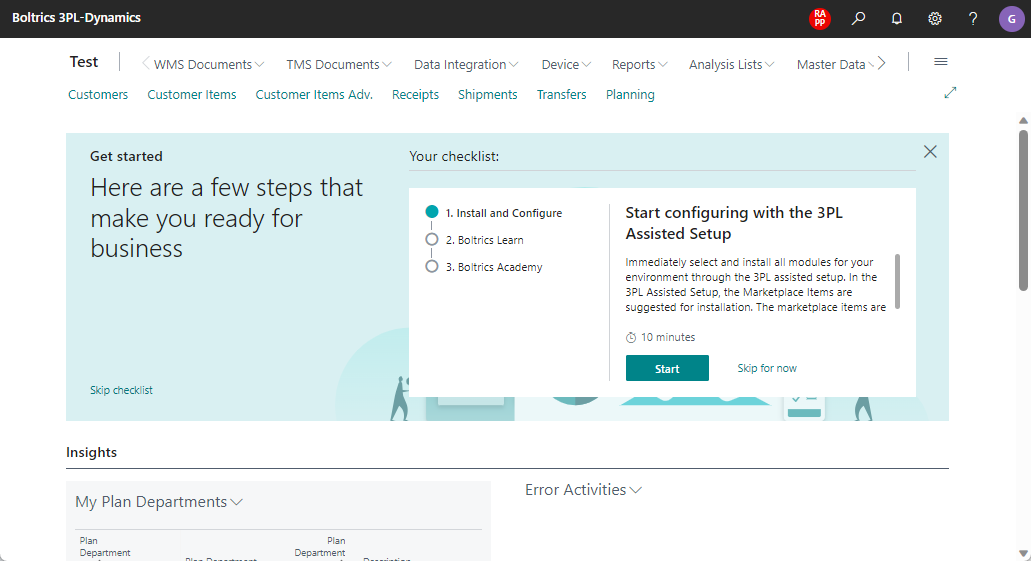
Step 1. Role Center
On the role center the user can start the 3PL Assisted Setup by clicking on the start-button.
Step 2. Welkom Setup
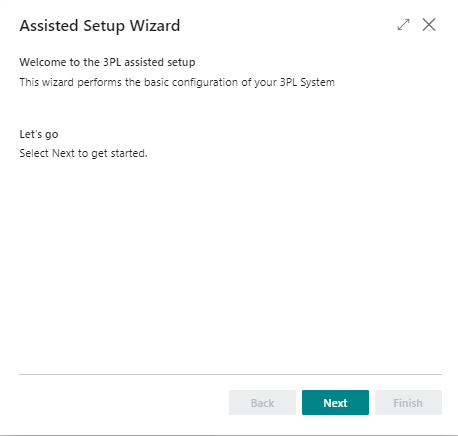
A welcom message will be shown.
Step 3. Selection apps
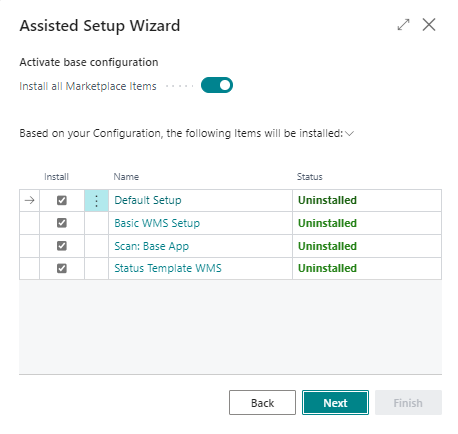
The list of available apps will be shown. Select which apps to install.
Step 4. Selection demo data
The list of available demo data will be shown. Select which demo data to install.

For TMS the following packages will become available soon:
- Basic TMS Setup
- Demodata Areas and Regions
- Demodata Addresses & Relations(Customters, Vendors and Contacts)
- Demodata TMS Resources(Trucks, Trailers and Drivers)
- Demodata TMS Contracts
- Demodata TMS Routing
With these packages Boltrics-partners will be able to create and manage specific regional packages.