Know Issues
General
A Known Issue is created by Boltrics when a ticket is acknowledged by Boltrics and the problem can also occurs in other customer environments.
Before creating a new request, it is recommended to check the page Known Issues first to see if the issue has already been reported. Known Issues can be found on the page: Boltrics – Known Issues
Functionality
Boltrics Known Issues
On the page: Boltrics - Known Issues all Known Issues, applicable to installed version in the customer environment are shown.
Example: Boltrics - Known Issues
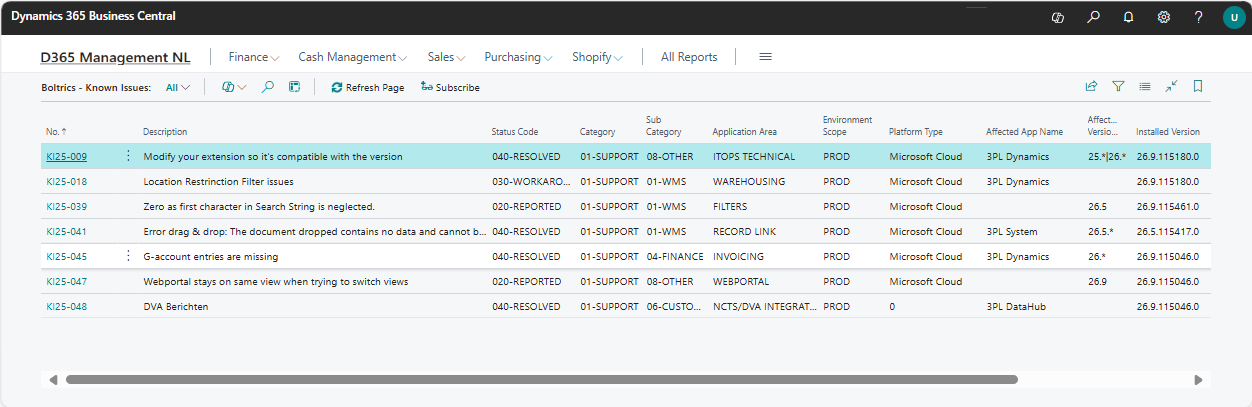
| Action | Description |
|---|---|
| Refresh Page | To refresh the page |
| Subscribe | If a problem described in the Know Issue matches your problem a subscription can be made. This will automatically generate a ticket and you will be informed automatically on status changes |
Boltrics Known Issue
When clicking on the No. of a Know Issue on the page: Boltrics – Known Issues the full content of a Known Issue is shown.
Example: Boltrics - Known Issue
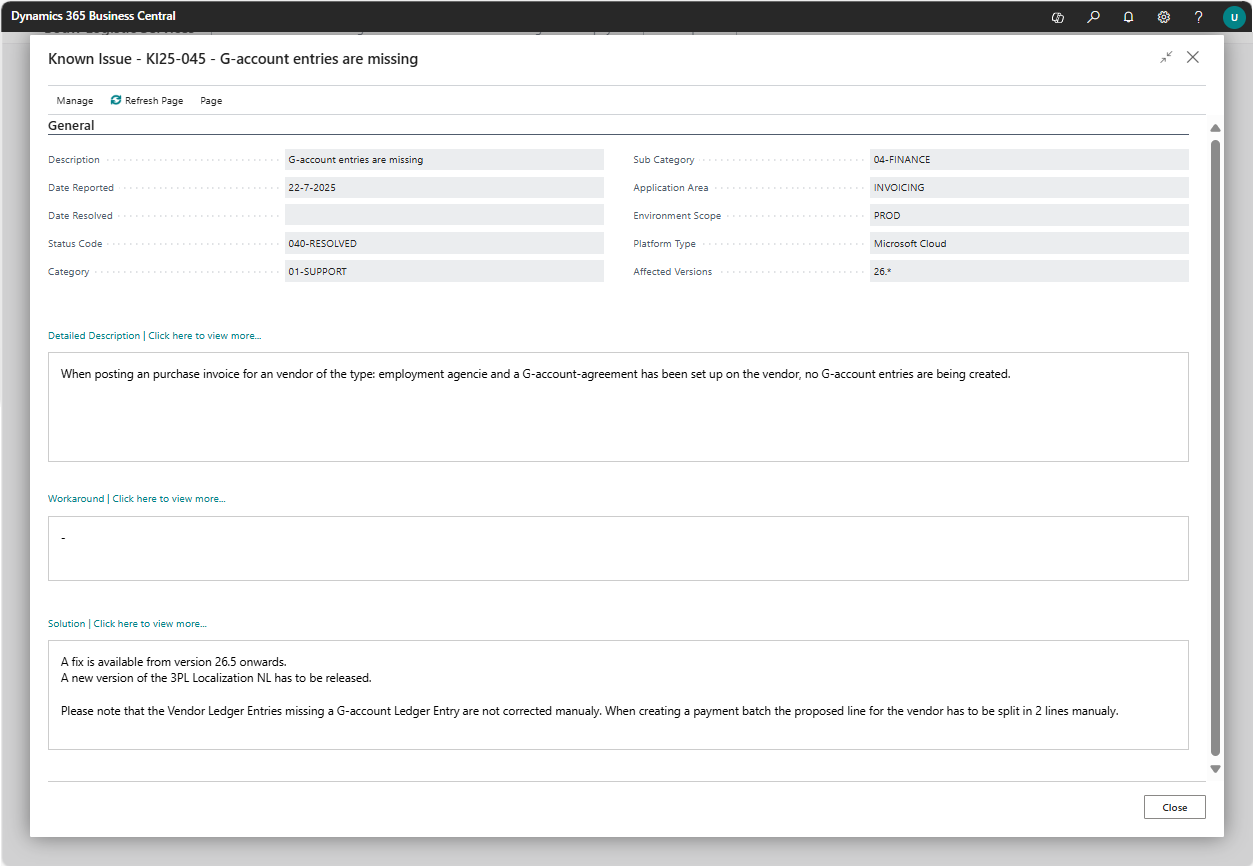
| Action | Description |
|---|---|
| Refresh Page | To refresh the page |
| Page Previous | Go to the previous Known Issue |
| Page Next | Go to the next Know Issue |
| Field | Description |
|---|---|
| No. | Unique identifier of the Known Issue (e.g., KI25-009) |
| Description | The title of the Known issue; sums up the issue in one sentence |
| Status Code | The status of the issue 020-REPORTED, the issue under investigation by Boltrics 030-WORKAROUND, a work-around has been found to continue the process 040-SOLUTION, The issue has been resolved. The solution steps are described. If a release is necessary, contact Support to plan accordingly |
| Category | Main category of the issue; 01-SUPPORT |
| Sub Category | More specific classification under the main category. Determines which module it concerns (e.g., WMS, TMS, Customs, etc.) |
| Application Area | Provides a more detailed description of what the issue is about |
| Environment Scope | Indicates the affected environment(s), such as PROD or TEST |
| Platform Type | The type of platform where the issue occurs (e.g., SaaS, OnPrem) |
| Affected App Name | The software version(s) in which the issue occurs |
| Installed Version | The version currently installed in your environment |
| Date Reported | Date when the issue was first reported |
| Date Resolved | Date on which the issue was resolved (if applicable) |