Known Issues
Purpose
The purpose of "Know Issues"is to give customers the ability to resolve known issues on their own.
How to Use
Page: Boltrics Know Issues (list)
By searching on: "Boltrics Know Issues" the page can be found in 3PL Dynammics. The “Known Issues” page contains articles describing problems reported by 3PL Dynamics users that may also affect other customers' environments. Known issues are listed by version, so customers will only see the "Known Issues" that apply to the current version used. A temporary workaround or solution may be documented in the "Known Issue" entry.
Example: Boltrics - Known Issues
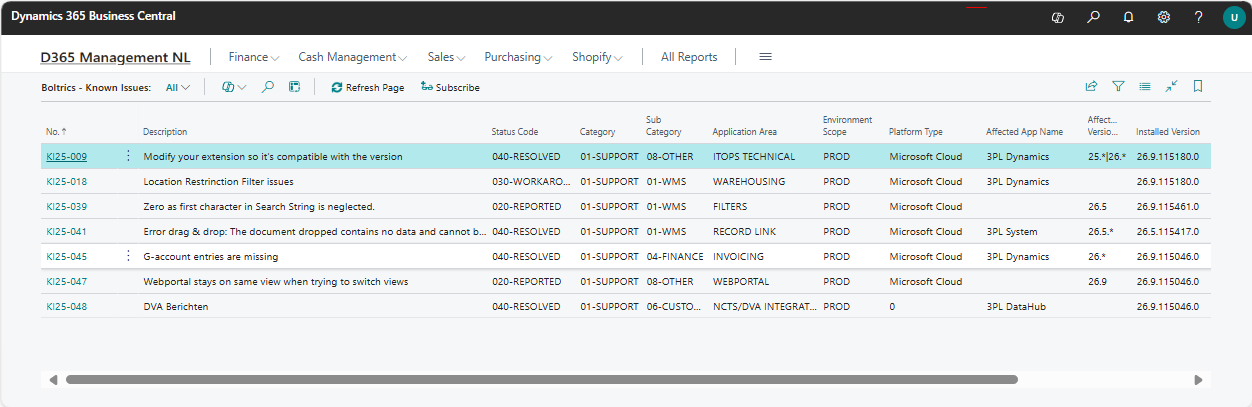
Actions
Refresh Page: Refreshes the page.Subscribe: If a problem described in the "Known Issue" matches your problem, a subscription can be created. This automatically generates a ticket, and you will be informed of status changes.
Boltrics Known Issue (Card)
When clicking on the No. of a "Know Issue" on the page: Boltrics – Known Issues the full content of a "Known Issue" is shown.
Example: Boltrics - Known Issue
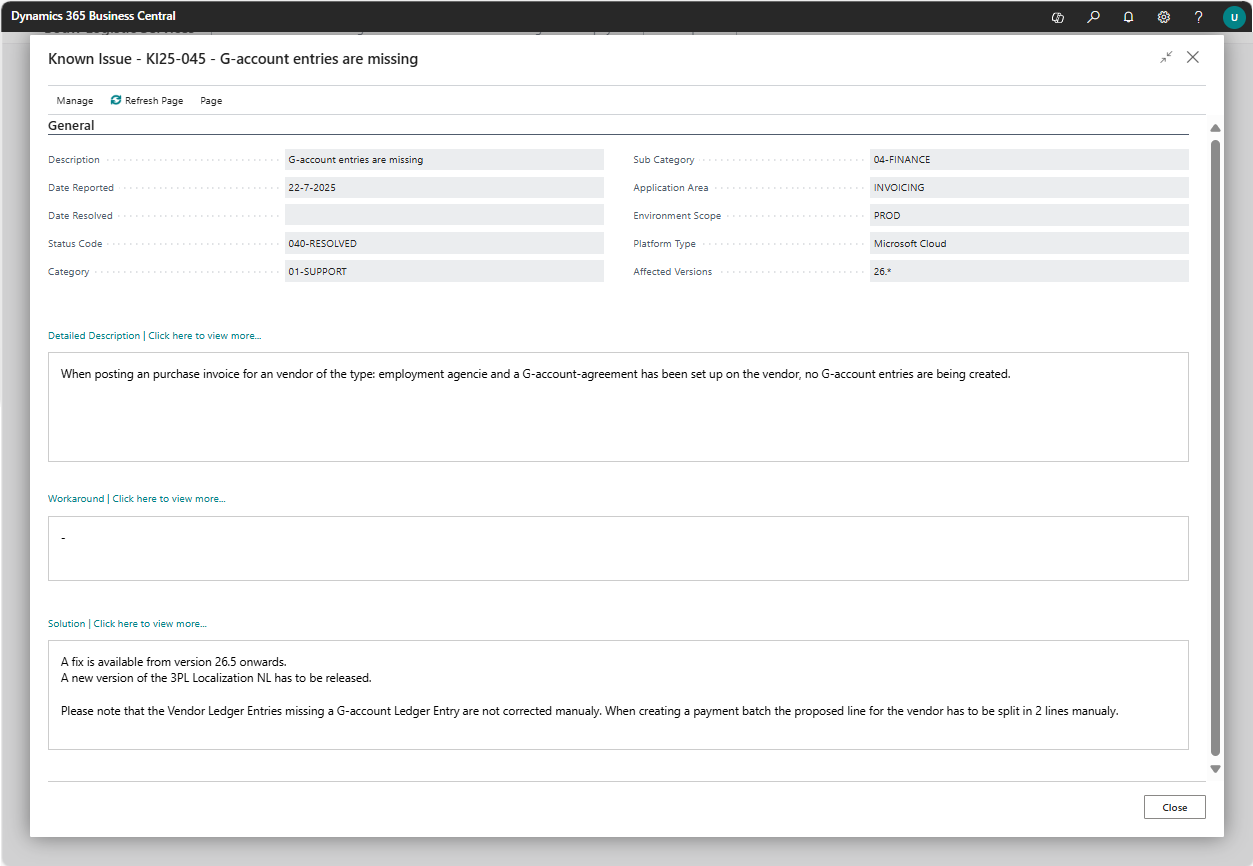
Actions
Refresh Page: Refreshes the page.Page Previous: Goes to the previous "Know Issue".Page Next: Goes to the next "Know Issue".
Fields
No.: Unique identifier of the "Know Issue"(e.g., KI26-009).Description: The title of the known issue, summarizing the issue in one sentence.Status Code: The status of the issue.020-REPORTEDindicates the issue is under investigation by Boltrics.030-WORKAROUNDindicates a workaround has been identified to continue the process.040-SOLUTIONindicates the issue has been resolved, and the solution steps are described. If a release is required, contact Support to plan accordingly.Category: Main category of the issue (e.g.,01-SUPPORT).Sub Category: More specific classification under the main category. Determines which module is affected (e.g., WMS, TMS, Customs).Application Area: Provides a more detailed description of the issue.Environment Scope: Indicates the affected environment(s), such as PROD or TEST.Platform Type: The type of platform where the issue occurs (e.g., SaaS, OnPrem).Affected App Name: The software version(s) in which the issue occurs.Installed Version: The version currently installed in your environment.Date Reported: The date when the issue was first reported.Date Resolved: The date on which the issue was resolved, if applicable.
Tips & Limitations
Tip
- Before creating a new request, it is recommended to check the page "Known Issues" first to see if the issue has already been reported.
- More info, read the following blog: everthing you need to know about Know Issues in your Boltrics product