Handling Unit Type
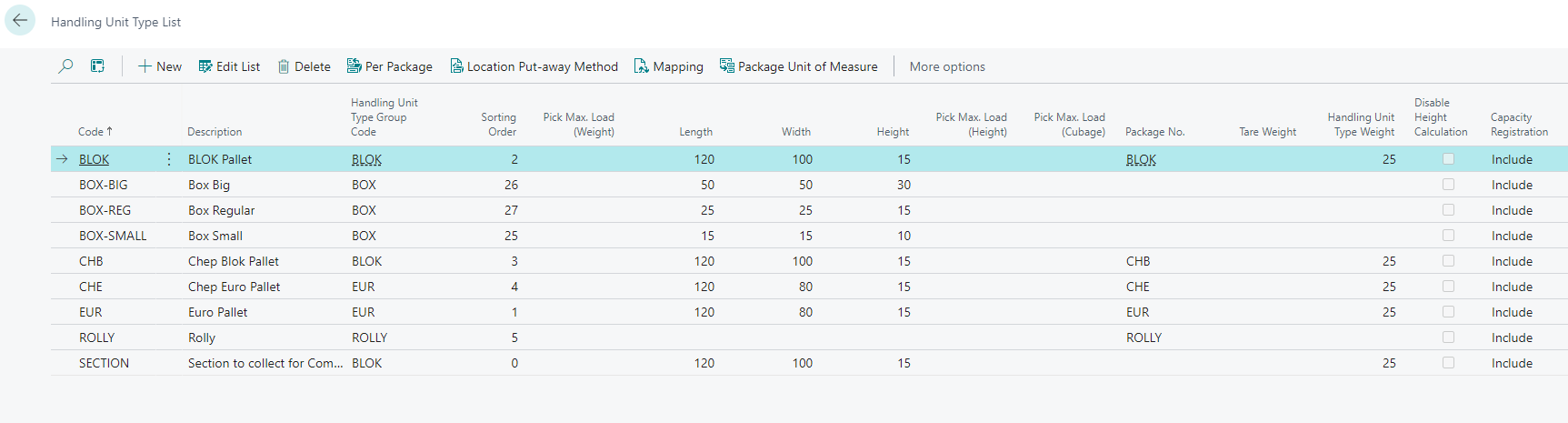
A Handling Unit Type is the identifier in 3PL Dynamics to categorize and define different types of handling units. Handling units are physical units in which goods are packed and transported, such as pallets, crates, boxes, or containers. This list typically includes detailed information about each type of handling unit to ensure consistency, efficiency, and accuracy in the handling, storage/location capacity, and transportation of goods
| Field | Description |
|---|---|
| Code | Code of the Handling Unit Type |
| Description | Description of the Handling Unit Type |
| Handling Unit Type Group Code | Group Code, values will be inherited from Handling Unit Type Group Code |
| Length | Length of the Handling Unit Type |
| Width | Width of the Handling Unit Type |
| Height | Height of the Handling Unit Type |
| Pick Max. Load (Height) | Max Height for the Handling Unit Type, Used with certain transfer strategies |
| Pick Max. Load (Cubage) | Max Cubage for the Handling Unit Type, Used with certain transfer strategies |
| Package No. | Package No. for the Handling Unit Type, used for package calculation in a document. This will create a package document line |
| Tare Weight | Tare Weight of the Handling Unit Type |
| Handling Unit Type Weight | Handling Unit Type Weight |
| Update Height | How the height of a handling unit of this type is kept up to date: Automatic, Disabled or Initial. See Height of a handling unit |
| Capacity Registration | In- or exclude this Handling Unit Type from the location capacity calculation |
| Attribute 01 | Attribute 01, Can be configured in the Attribute Setup |
| Attribute 02 | Attribute 02, Can be configured in the Attribute Setup |
| Attribute 03 | Attribute 03, Can be configured in the Attribute Setup |
| Attribute 04 | Attribute 04, Can be configured in the Attribute Setup |
| Attribute 05 | Attribute 05, Can be configured in the Attribute Setup |
| Attribute 06 | Attribute 06, Can be configured in the Attribute Setup |
| Attribute 07 | Attribute 07, Can be configured in the Attribute Setup |
| Attribute 08 | Attribute 08, Can be configured in the Attribute Setup |
| Attribute 09 | Attribute 09, Can be configured in the Attribute Setup |
| Attribute 10 | Attribute 10, Can be configured in the Attribute Setup |
Height of a handling unit
The height of a handling unit is used by the warehouse strategies and by the location restrictions, for example a maximum height restriction on a location type (see Location Types, Capacity, and Restrictions). A wrong height on a handling unit therefore leads to wrong put-away proposals, so it must be possible to correct it.
The height is kept on two levels: every content line of the handling unit has its own height, and the handling unit itself has a height that consists of the height of the handling unit type plus the height of its content. The field Update Height of the handling unit type determines how both heights are maintained when postings are made.
| Option | Behaviour |
|---|---|
| Automatic | Default. Every posting recalculates the height of the content lines from the dimensions of the customer item units of measure (or the handling unit type units of measure) and then the height of the handling unit. Use this when the dimensions in the master data are complete. When an item has no dimensions in the master data, for example crossdock items or items with variable dimensions, a height that was entered manually on the receipt detail line is lost at the next recalculation. |
| Disabled | The heights of the content lines and of the handling unit are never recalculated. The height entered on the receipt detail line is copied to the content line, but the height of the handling unit itself is not derived from it and has to be set separately, for example in a scan process. Unposting and re-posting a detail line in the client leaves the height of the handling unit at zero again, and a height that is changed in the Item Transfer Journal only updates the content line. |
| Initial | The heights are set from the values that are entered and are not recalculated from the master data afterwards. When a content line is created on a handling unit (posting a receipt detail line, also after unposting and posting it again) the height of the handling unit is set to the height of the handling unit type plus the height of its content lines. When the height of a content line is changed explicitly with the field New Height in the Item Transfer Journal, the content line and the handling unit get the new height. When other fields of the content are changed in the Item Transfer Journal, such as the item condition, the expiration date or the batch, the heights are left as they are. |
With Disabled and Initial the Storage Index uses the heights as they are stored on the handling unit and its content lines; with Automatic it uses the calculated heights.
Note
Update Height replaces the field Disable Height Calculation. Existing handling unit types are converted automatically when the application is upgraded: a handling unit type with Disable Height Calculation switched on gets Disabled, all other handling unit types get Automatic. The old field is hidden on the Handling Unit Types page and will be removed in a later version. In the Carrier Type API the field disableHeightCalculation is replaced by updateHeight in the same way.
Handling Unit Type Group
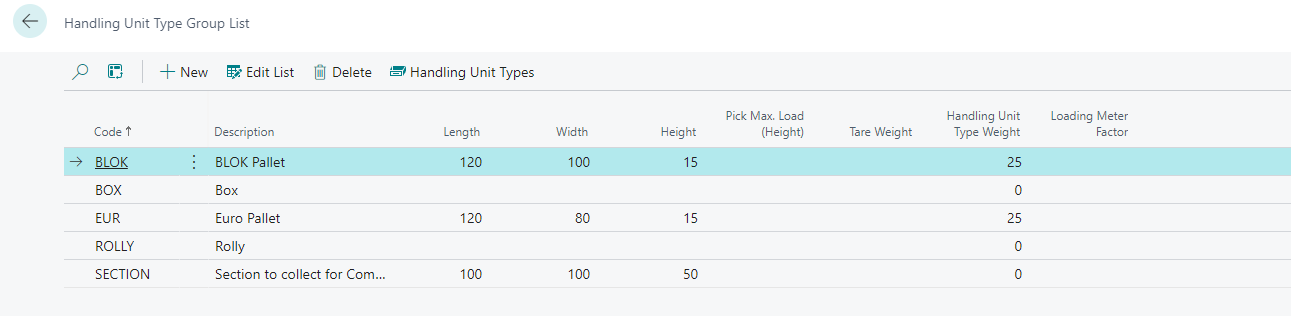
Handling Unit Type will be grouped in Handling Unit Type Groups. This is used to group the Handling Unit Types in a logical way. The Handling Unit Type Group can be used in the setup of the Handling Unit Type to inherit values from the Handling Unit Type Group. And can be used in the setup of the Location to define the capacity of the location, this gives the possibility to define the capacity of the location based on the Handling Unit Type Group, instead of the Handling Unit Type.
Per Package (Package per Handling Unit Type)
Per Handling Unit Type, it is possible to define one or more related Packages. This is used to define the package calculation in a document. When a Handling Unit Type is selected in a document, the related packages will be created as package document lines. Eg. when a Handling Unit Type is a pallet, the related packages can be boxes or crates.

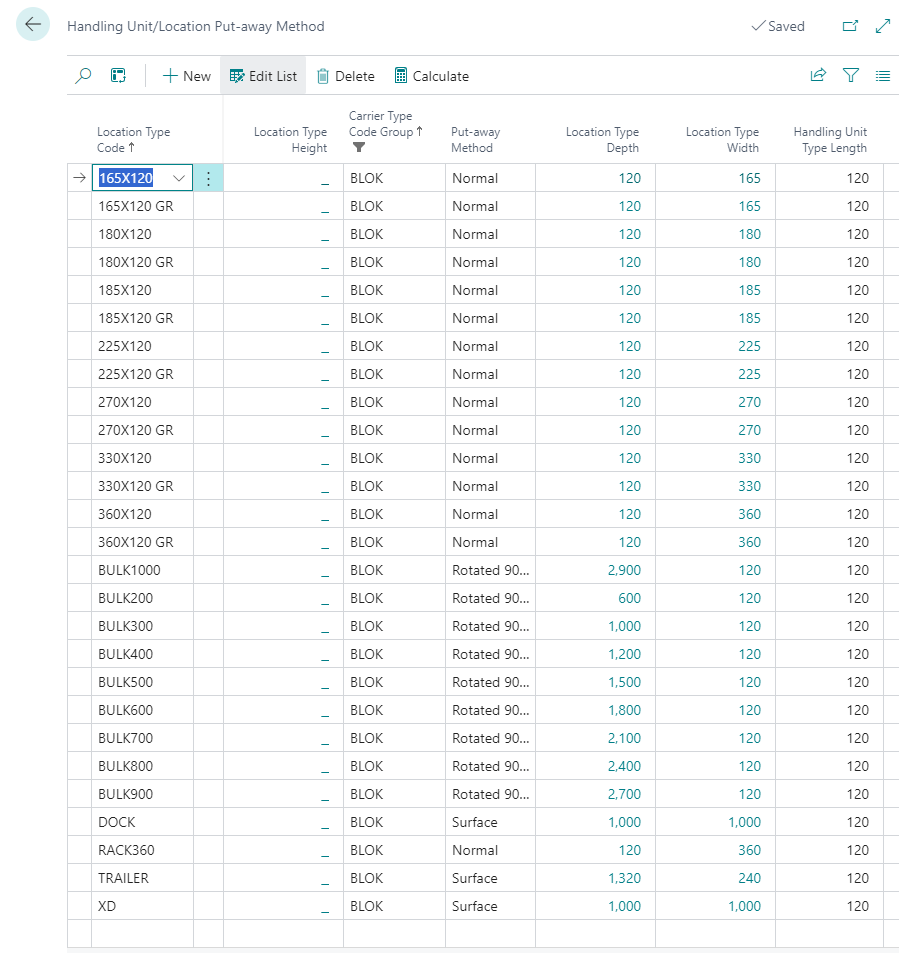
Handling Unit /Location Put-Away Method
Per combination Handling Unit Type / Location is possible to define the Put-Away Method. This is used to define the Put-Away Method for a specific Handling Unit Type in a specific Locationtype. The Put-Away Method can be defined as Normal, Rotated 90 Degrees, Surface or Fixed per Item.
- Normal: The Handling Unit Type will calculate the remaining capacity based on Length dimension.
- Rotated 90 Degrees: The Handling Unit Type will calculate the remaining capacity based on Width dimension.
- Surface: The Handling Unit Type will calculate the remaining capacity based on the Surface dimension.
- Fixed per Item: The remaining capacity is not calculated from dimensions but from a fixed number of Handling Units per Customer Item, set up on the Cust. Item Loc. Capacity page. All Handling Unit Type Groups of the Locationtype must then use Fixed per Item. See Fixed per Item.
The field Max. No. of Handling Units is used to define the maximum number of Handling Units that can be put away in the location. When the maximum number of Handling Units is reached, the location will be full and no more Handling Units can be put away in the location. This field is only in use if you have the Capacity Registration field enabled in the Location Type.