Order Type
Order types can be used to distinguish different order flows on the Document types (eg. Receipt, Shipment, Transport, etc.)
Sorting by order types
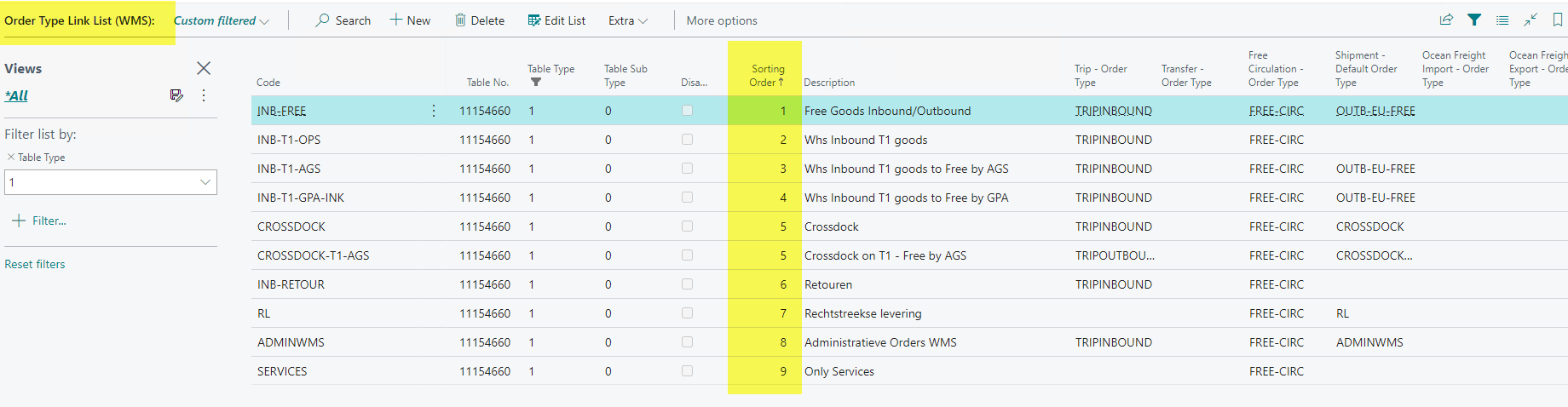
In implementations where you work with many different order types, the order types were displayed in alphabetical order on the WMS Documents. It is therefore possible that users often have to scroll through a list where the most used order type is somewhere at the bottom. Ultimately, of course, you can enter part of that name, but a different sorting would be desirable in terms of displaying the order types. To this end, we have added a Sorting Order field to the Order Type Link, which you can use to send this from now on. This is now sorted as follows on the WMS Documents
- First on Sorting Order
- Then on Code
Disable an order type
Sometimes you don't want to delete an order type, but only make it not available. Therefore we have added the Disable field to the Order type link. See screenshot above.
Consolidate purchase order lines
The option Consolidate Purchase Order Lines on the Order Type Card (FastTab Document Settings, under Show more) merges purchase order lines with identical item, units, handling unit type, sets, location, building, customer, ship-to address, batch, dates and attributes 1-10 into one receipt line when purchase order lines are transferred to a receipt with this order type (Create Receipt or Functions > Get Purchase Order Lines). The option is off by default. See Consolidate purchase order lines on the Purchase Order page for the exact rules and an example.