TelnetProxy V2 – Refreshing Secrets
TelnetProxy V2 uses app registrations to authenticate with Microsoft 365 Business Central. Each app registration is associated with a secret, which can expire. Previously, secrets expired after 730 days, but since version 3.16 they expire after 10 years.
When the Telnet scanning app displays the message The secret expires in ? days it means the associated secret is nearing expiration.
Refreshing the secret requires access to the server that hosts both Pragmasys Telnet Server and TelnetProxy-V2.
Steps to Refresh the App Secret
Log in to the server.
Navigate to:
C:\Program Files\Boltrics\TelnetProxy-V2Run
admin.cmdas Administrator.The following menu will appear:
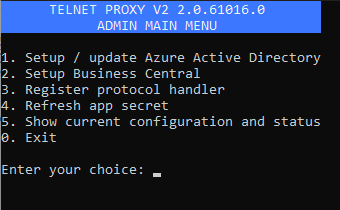
Select option 4: Refresh app secret.
In versions 3.12 and higher, multiple app registrations are supported. You’ll be prompted to choose which registration’s secret you want to refresh.
An Azure login window will open in your browser. Log in as a Global Administrator in the Entra tenant that contains the app registration.
After completing the login, you can close the TelnetProxy V2 menu.
Open the Pragmasys Session Manager:
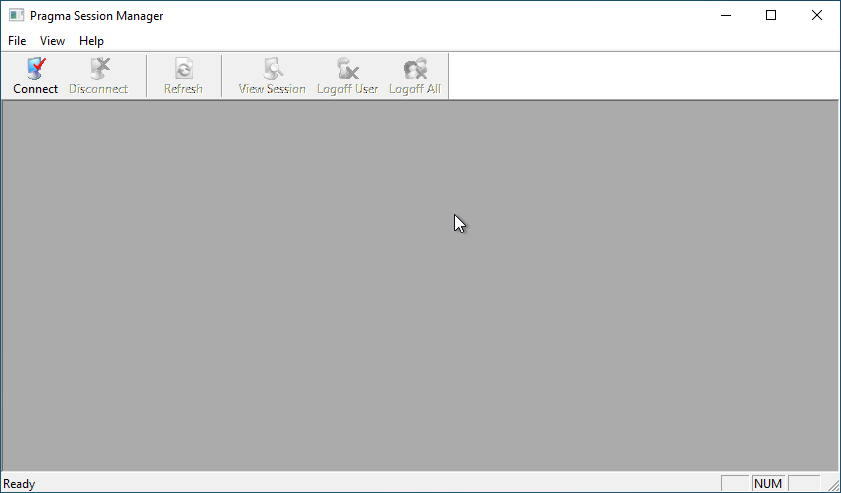
Click Connect, then connect to localhost.
Click Logoff All to log off all scanners from Pragmasys.