Driver APP Essential
General
The Driver APP Essential is a basic functionality which can be installed to send trips, stops and orders to a mobile device of a driver. Drivers can confirm status-changes like arrived and finished on stops. Also photos of proof of deliveries and signatures can be added to the orders.
Functionality
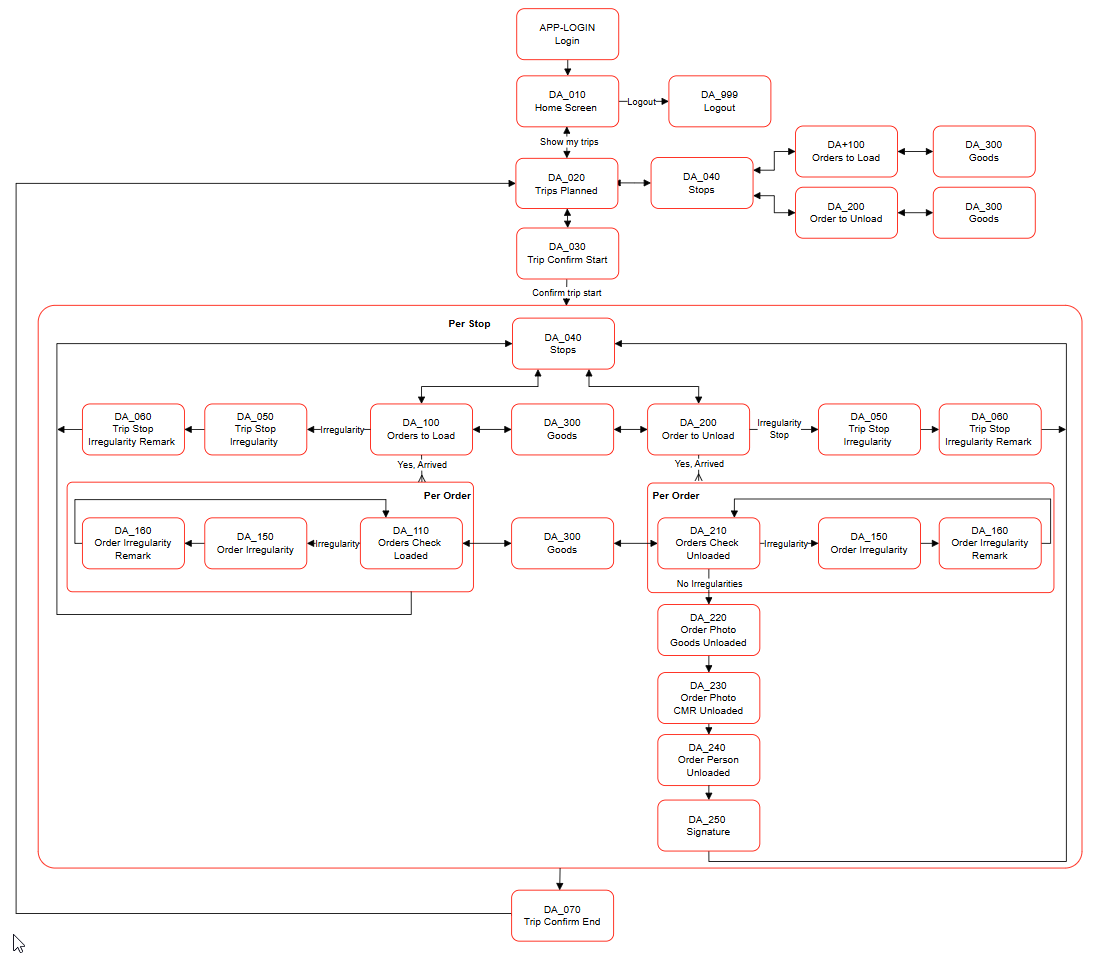
The process-flow of the Driver APP:
3PL Market Place
The Driver APP can be installed from the 3PL Market Place: App for Drivers (Transportation).
Warning
Doublecheck before installing if current Scan Views do contain Scan Views with the same numbers as they will be overwritten.
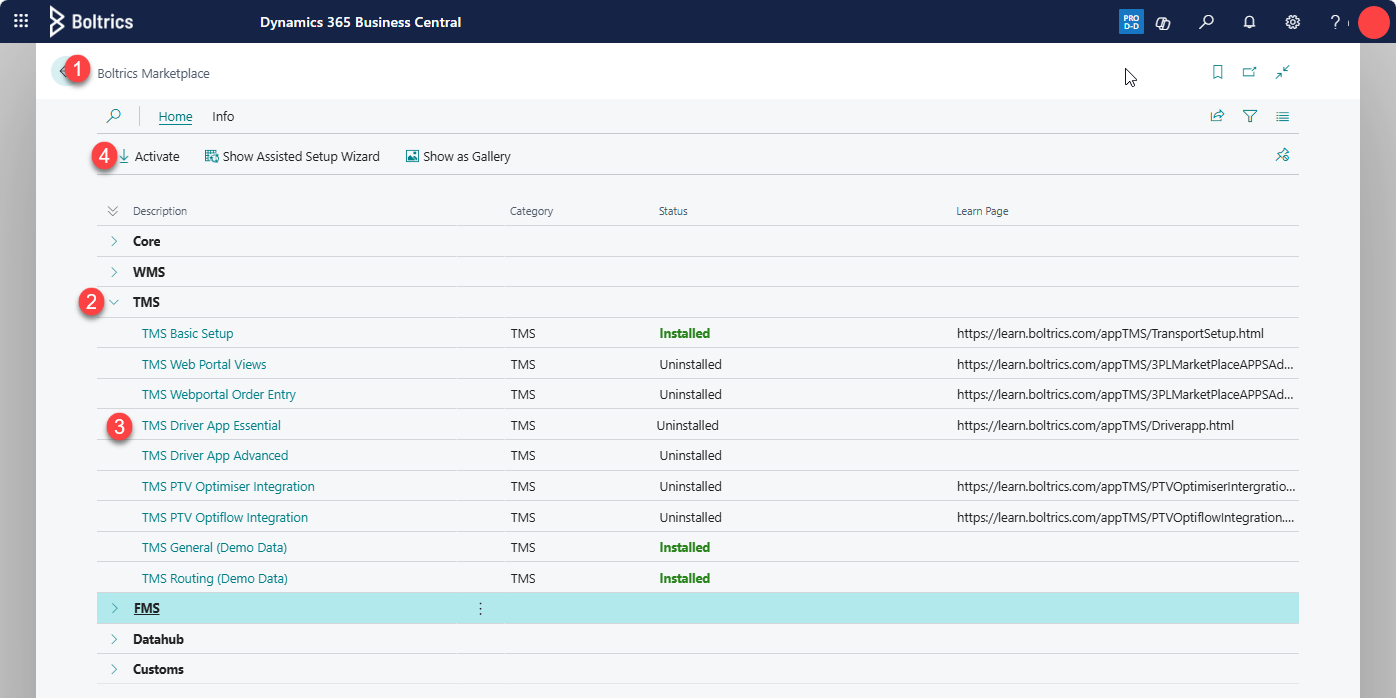
- Open page: Boltrics Market Place
- Open the tree: TMS
- Select the line: TMS Driver APP
- Click on: Activate
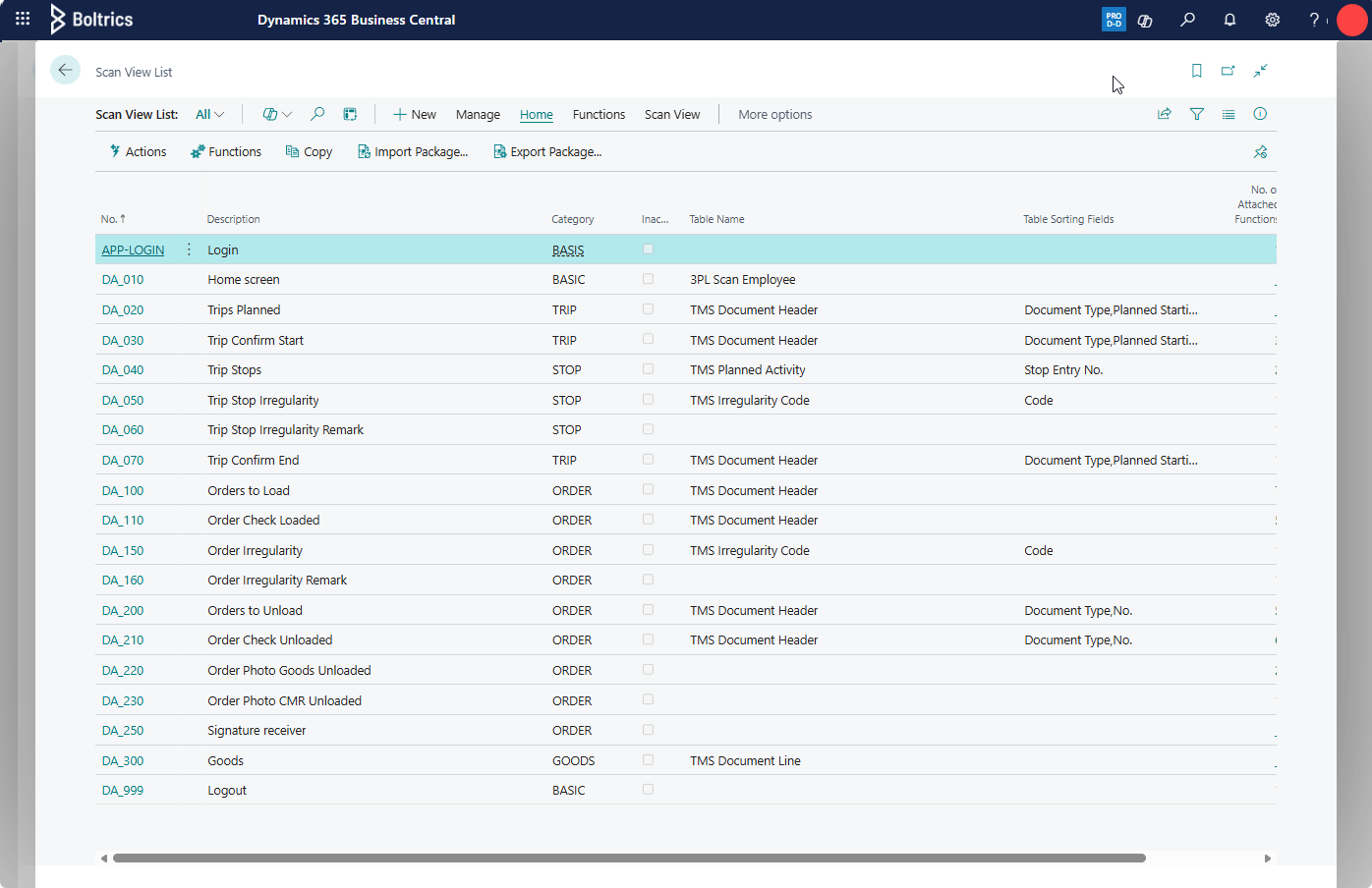
The following: Scan views will be added:
Settings
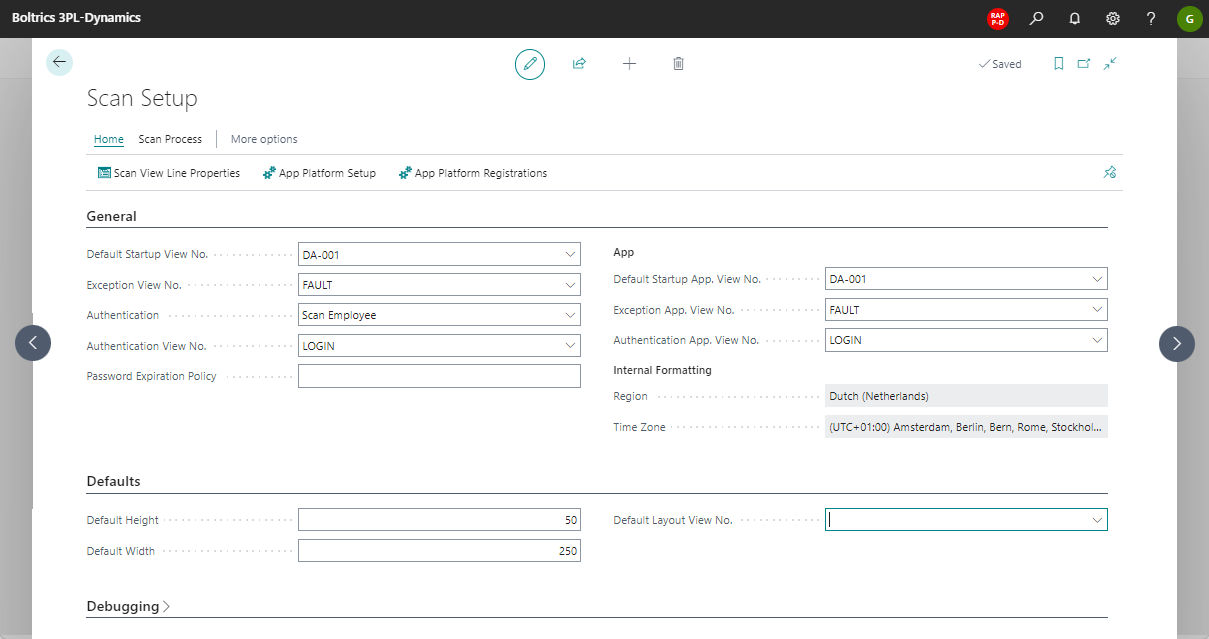
Scan Setup
On the page: Scan Setup the following values must be entered.
Warning
- Special attention when changing these settings if scanviews are being used by scanners in the warehouse.
- Check if the correct time-zone is applied. If incorrect the actual times on the Planned Activities will show incorrect values.
Scan Employee
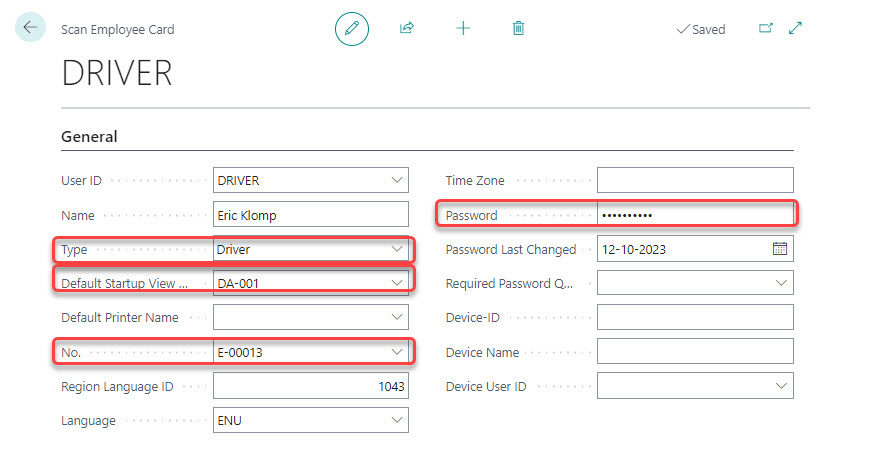
For each driver using the app a Scan employee must be created.
The import fields for the Driver APP are highlighted.
Note
The fields: Type and Default Startup View can be hidden, use personalisation to show the fields on the page.
Trip Status
The app will only show trips containing status: 40* and 50*. Depending on the status-setup an other value may be required.
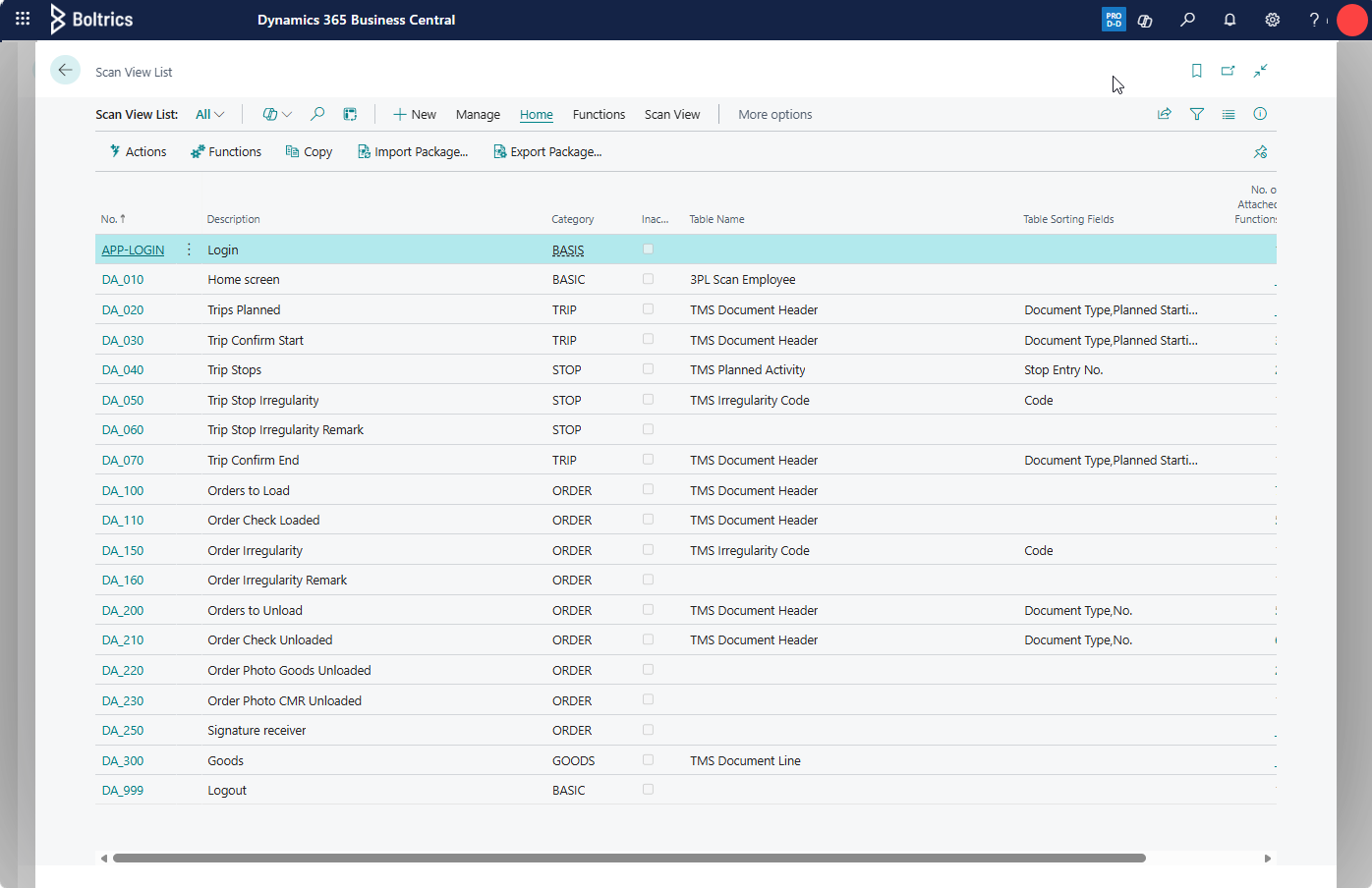
- Open the scan view: DA-020
- Click in the field: Table Where
- Adjust the value in the column: Constant Value on the line: Status.
Starting APP
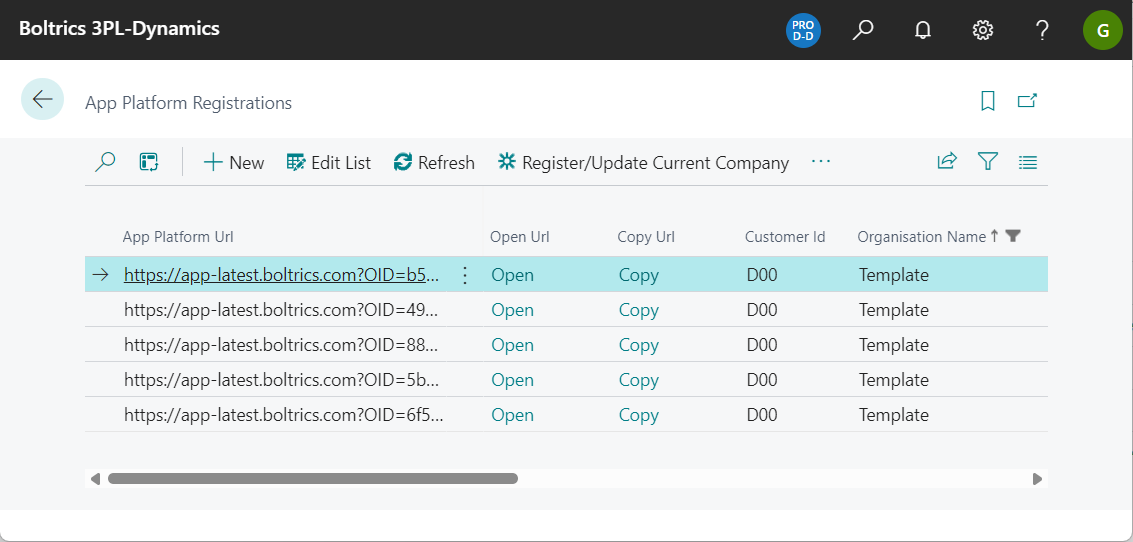
Drivers can start a web browser on a mobile phone to start te driver app. The URL required for the driver app can be copied from the Page: App Platform Registrations in 3PL Dynamics.
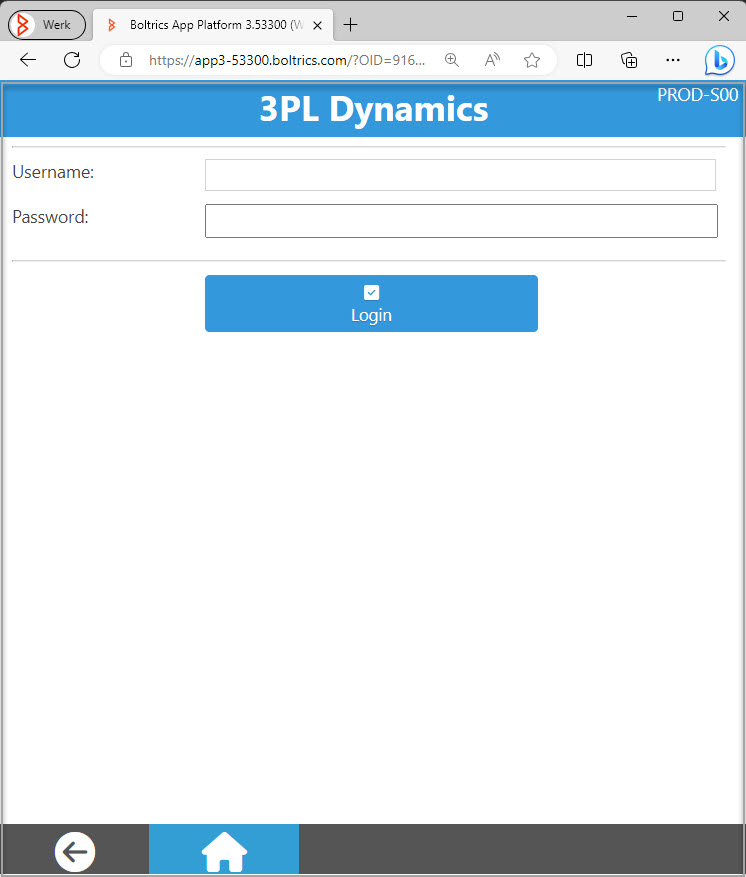
When opening the URL on the mobile phone the start-page of the driver app appears:
Note
Before testing the Driver APP on a mobile device, the Driver APP can be tested by opening the page: App Platform in 3PL Dynamics.