Resource Allocation
General
On the Resource card the tab: Allocation is presented. By setting values the presentation/availability of the resource in the planning will be influenced.
Functionality

Fields
Default Company: Only required if a multi-company structure is applicable.Temporary Company: Only required if a different company is applicable for a specific period.Plan Department: Select the Plan Department on which the resource is operating. When filled the resource will only be visible on planning screens based on this Plan Department.Temporary Plan Department: Only required if a different Plan Department is applicable for a specific period.
Periodical Allocation
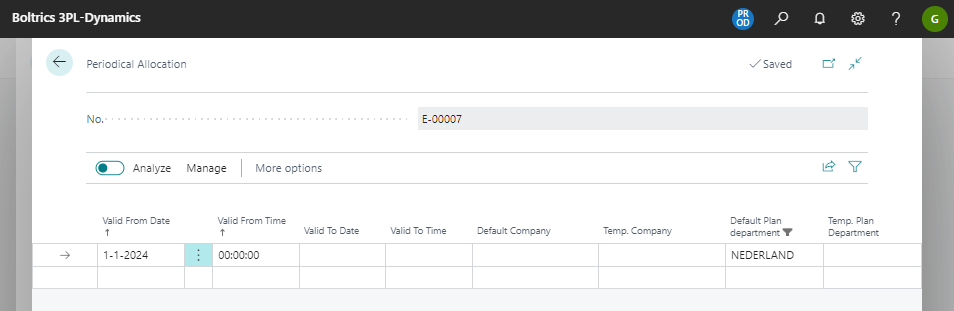
When clicked in the above fields a new window: Periodic Allocation appears. Set up a line to create a default or periodic allocation
Fields
Valid From Date: The date on which the Periodical Allocation starts.Valdi From Time: The time on which the Periodical Allocation starts..Valid To Date: The date on which the Periodical Allocation ends.Valdi To Time: The time on which the Periodical Allocation ends.Default Company: The default Company for the resource.Temp. Company: The Company applicable for the Periodical Allocation.Default Plan Department: The default Plan Department for the resource.Temp Plan Department: The Plan Department for the Periodical Allocation.
Tip
It is adviced not to fill in the fields: Valid to date and Valid to Time.