Resource Group
General
Resource groups can be used to distinguish the various resources. For example between a Heavy Goods Vehicle and a Truck or a Tautliner and a Refrigurated Box Trailer. On the Resource Groups various settings can be set so it will not be necessary to set them per resource.
Functionality
Resource Group List
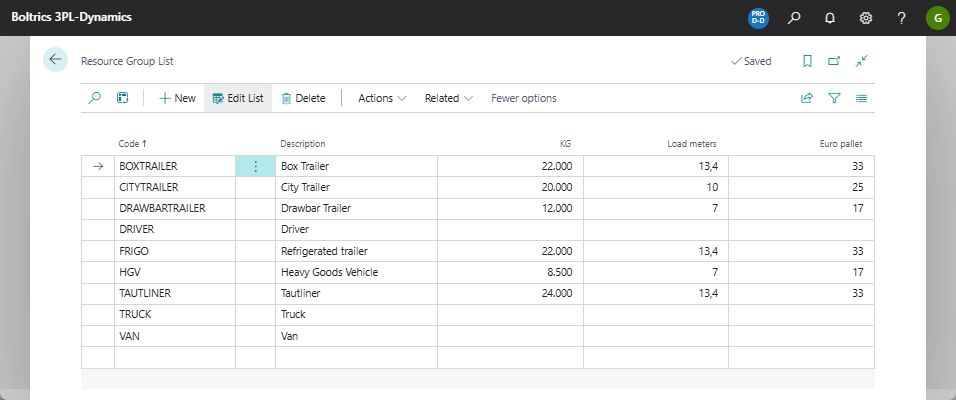
On the page: Resource Group List new Resource Groups can be created and/or managed
Actions
| Field | Description |
|---|---|
| New | Creates a new record above the currently selected record. |
| Edit List | Changes from read-modus to edit-modus. |
| Delete | Deletes the currently selected record. |
| Actions > Export Package | Creates an export of the data in JSON-format. |
| Actions > Import Package | Offers the option of importing data based on JSON-format. |
Tip
Click on the value in the cel: Code or click on the drill-down button to open the page-view and set more options on a resource group.
Fields
| Field | Description |
|---|---|
| Code | A unique code for the resource group. |
| Description | A brief description of the resource group. |
| KG | The maximum weight each resource in the group is allowed to carry. |
| Load meters | The maximum number of load meters each resource in the group can carry. |
| Euro pallet | The maximum number of Euro pallets each resource in the group can carry. |
Note
The titles: KG, Load Meter, Europallet may vary per configuration as they are based on setting set in the Transport Setup tab: Extra unit of Measure.
Resource Group Card
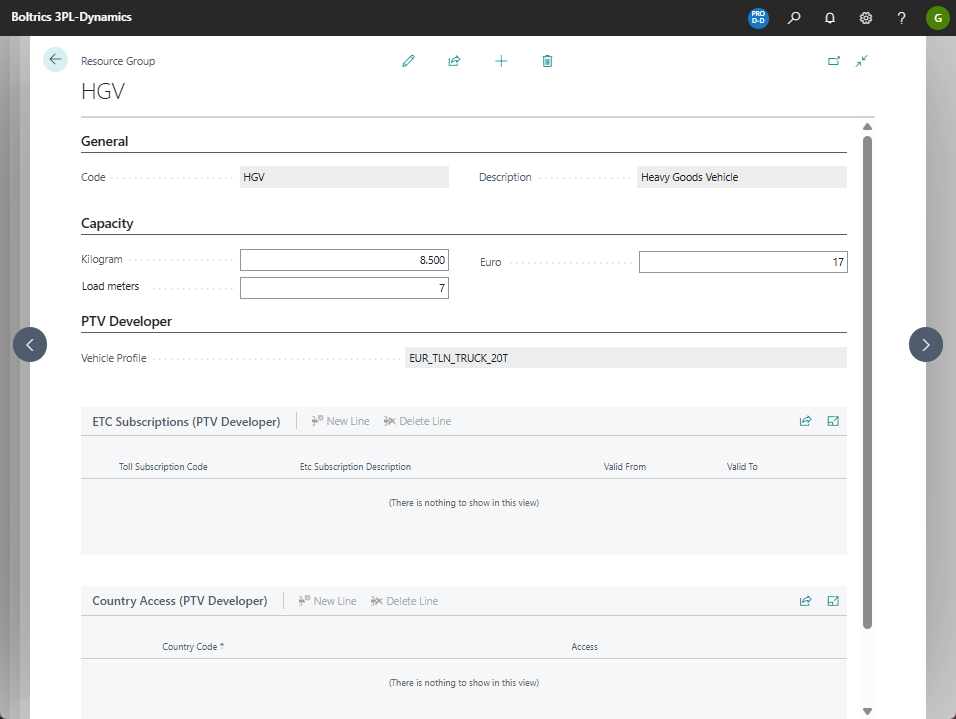
On the page: Resource Group Card more options can be set on a resource group record.
| Tab | Field | Description |
|---|---|---|
| General | Code | A unique code for the Resource Group. |
| Description | A brief description of the Resource Group. | |
| Capacity | Kilogram* | The maximum weight each resource in the group is allowed to carry. |
| Load meters* | The maximum number of load meters each resource in the group is allowed to carry. | |
| Euro pallet* | The maximum number of Euro pallets each resource in the group is allowed to carry. |
Note
- the values shown as capacity depend on the values set in Transport Setup, Tab: Extra Unit of Measure.
Tab: PTV Developer
A PTV Developer License is required and the PTV Developer Setup must be completed, for more info see page: PTV Developer.
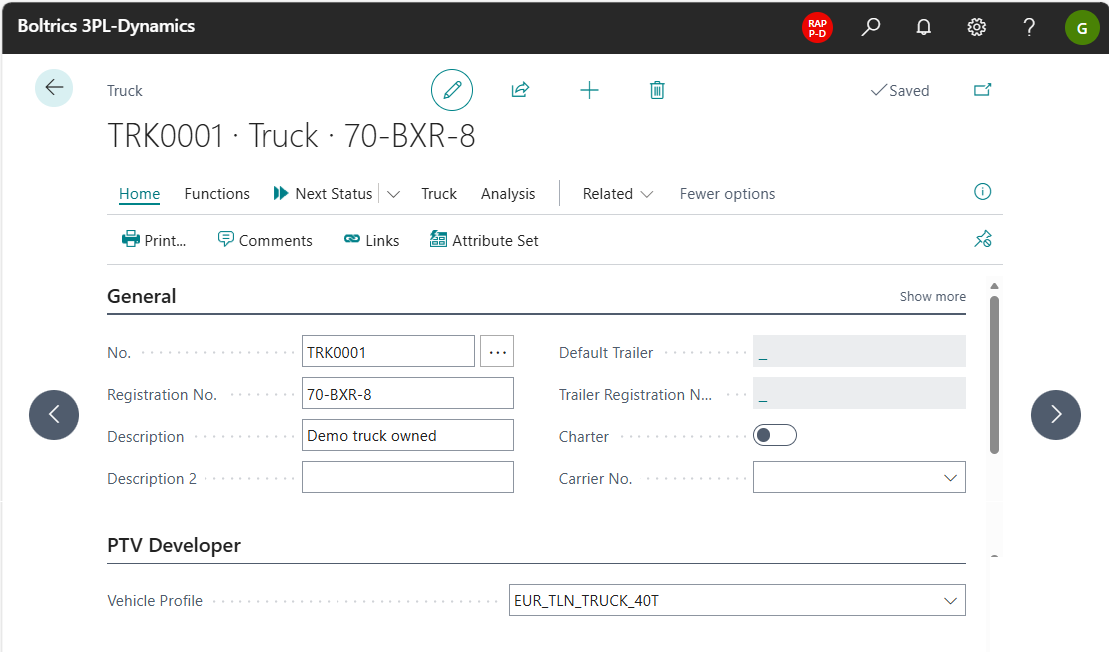
A vehicle profile can be selected for a truck. This is required so a trip will have for a correct calculation of the route-, Toll and Emissions. If no vehicle profile is set the default profile as set in the PTV Setup is applicable. In stead of setting a vehicle profile per truck this can also be defined per Resource Group.
ETC Subscriptions (PTV Developer)
A PTV Developer License is required and the PTV Developer Setup must be completed, for more info see page: PTV Developer.
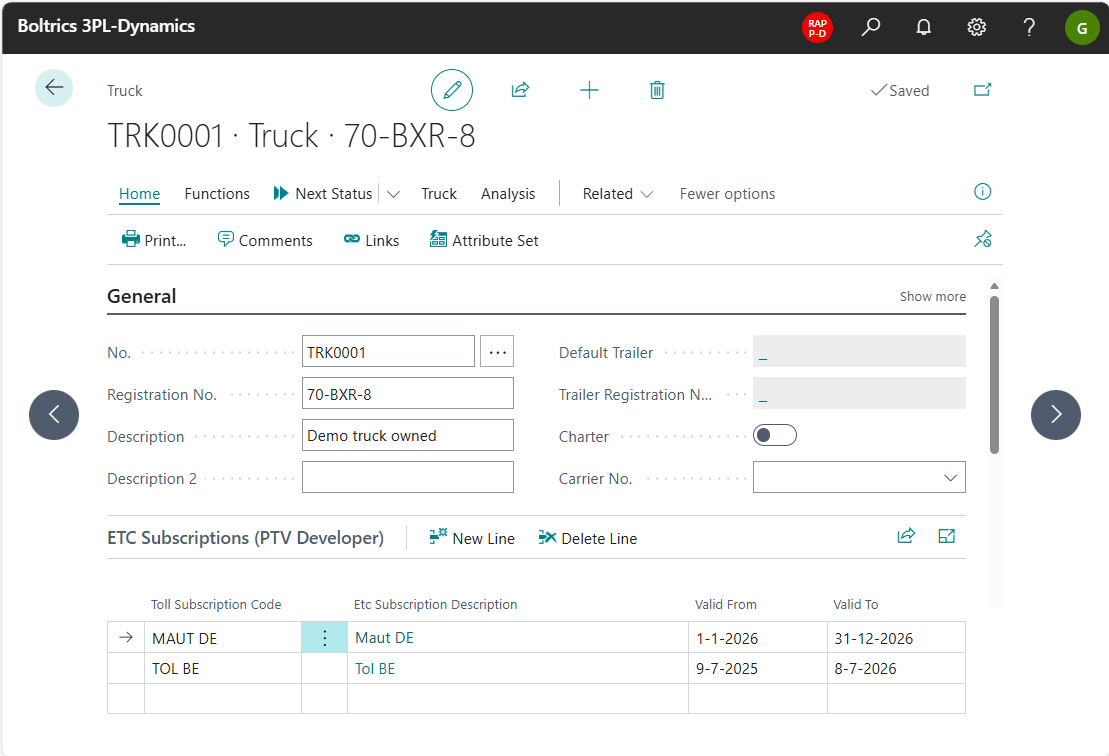
If subscriptions have been purchased from toll providers, these can be recorded here. If no settings have been defined, the toll calculation will be based on the tariffs applicable to credit card payments. In stead of setting ETC subscriptions per truck these can also be defined per Resource Group.
Country Access (PTV Developer)
A PTV Developer License is required and the PTV Developer Setup must be completed, for more info see page: PTV Developer.
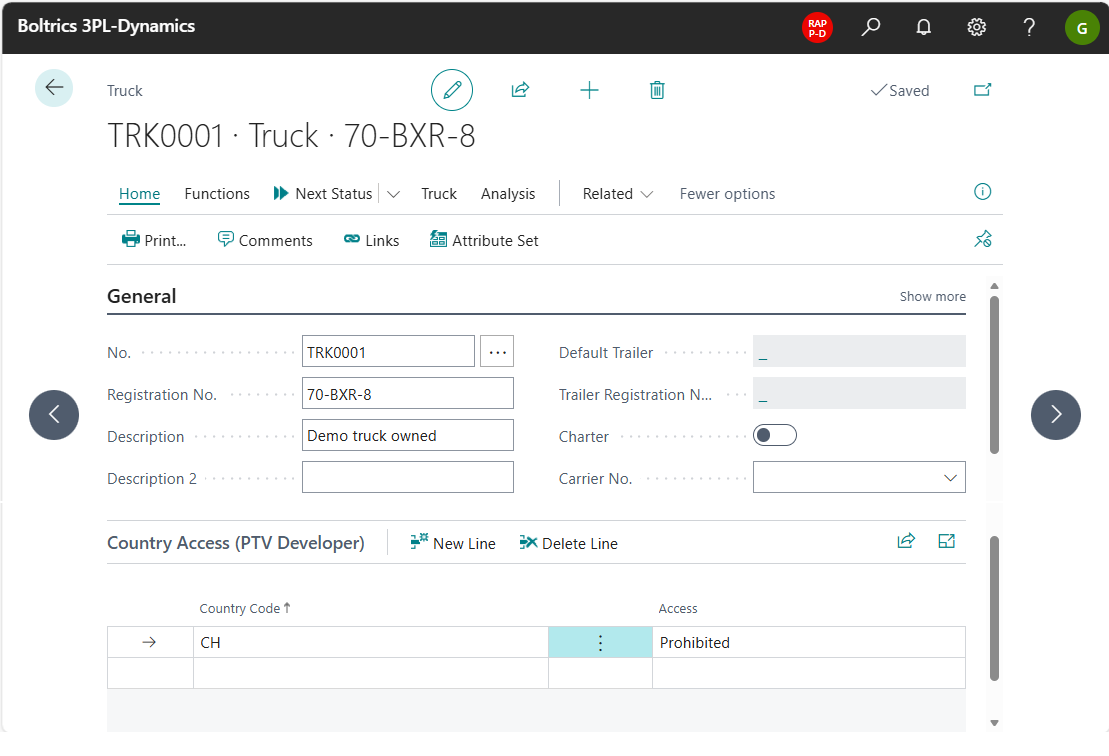
At the truck level can be specified to which countries the truck has access or not. If no lines have been entered all countries are allowed to drive through. In stead of setting Country Access per truck these can also be defined per Resource Group.