Trip calculation setup
Use the trip calculation setup to calculate successive trips of the same resource. When you enable it, the start of a trip is based on the end of the previous trip of the same truck or driver, and TMS recalculates the following trips when a trip changes.
Without this setup, TMS calculates each trip on its own, based on the start date, time, and address of that trip. This is the right choice when trips don't depend on each other, for example when trips are imported from an automatic planning system.
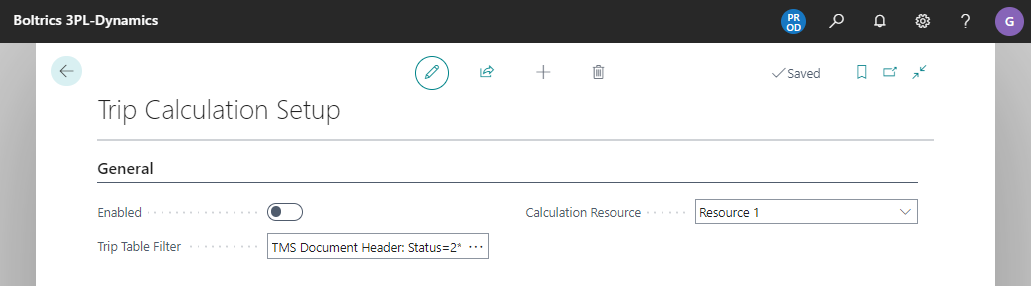
Set up trip calculation
- Choose the
 icon, enter Trip Calculation Setup, and then choose the related link.
 - Turn on Enabled.
- In Calculation Resource, select the resource that determines the order of the trips, for example the truck or the driver.
- Optionally, limit the trips that are included with Trip Table Filter and Trip Inclusion Dateformula.
| Field | Description |
|---|---|
| Enabled | When turned on, trips are calculated as a sequence per calculation resource, and a change on one trip also recalculates the following trips. When turned off, each trip is calculated on its own. |
| Calculation Resource | The resource that determines the sequence of successive trips. A trip is only included when this resource is planned on the trip. |
| Trip Table Filter | Apply filters so that the sequence calculation is only applied to specific trips, for example based on the status of the trips. |
| Trip Inclusion Dateformula | Trips with a planned starting date before the date that this formula calculates aren't included in the sequence calculation. |
The sequence calculation runs when you calculate a trip and the status template of the trip contains the function Calculate activities for this and following trips.