Other Resource
General
Use other resources to manage and plan resources on trips that are not a truck, trailer, or driver, for example a forklift or special equipment that is required to execute the trip.
Functionality
The other-resource page consists of a number of tab sheets. Depending on the personalization settings, not all tabs are shown automatically to each user or role.
Tab: General
The basic information on the resource.
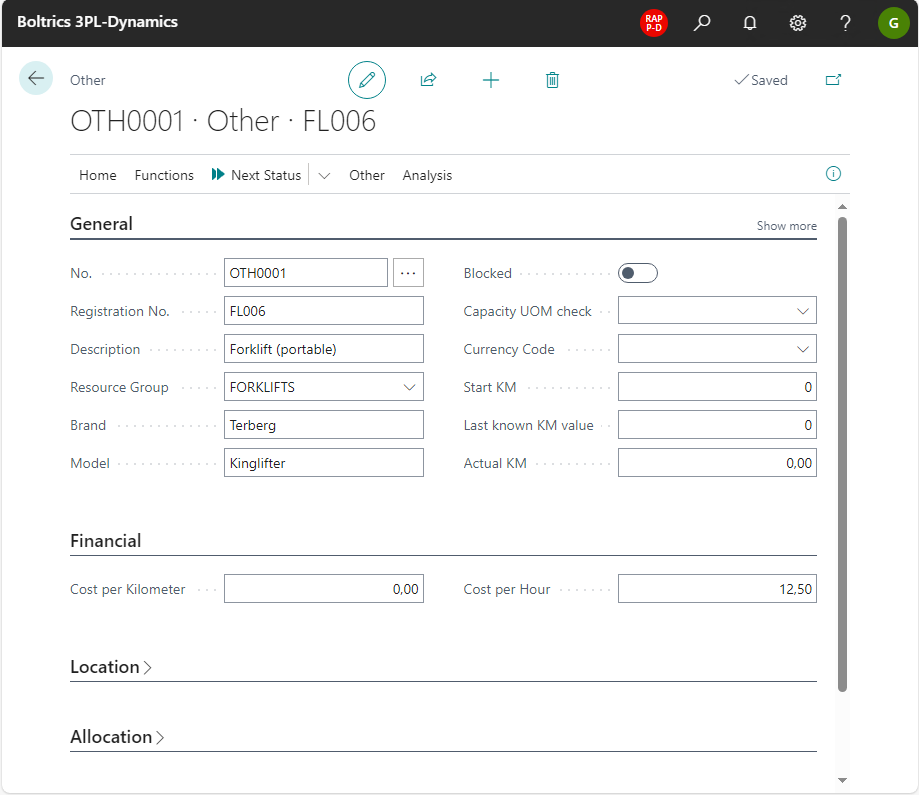
| Field | Description |
|---|---|
| No. | An unique number. |
| Registration No | The registration number of the resource. |
| Description | Not required for planning purposes. |
| Resource Group | When different types of resources are planned it is advised to create a groupe per type. For example: Forklifts, Cranes, etc. |
| Brand | Not required for planning purposes. For maintenance registration is advised. |
| Model | Not required for planning purposes. For maintenance registration is advised. |
Tab: Financial
The financial information on the resource.

| Field | Description |
|---|---|
| Cost per Kilometer | The amount used in trip-calculations. |
| Cost per hour | The amount used in trip-calculations. |
Tab: Allocation
See the page: Resource Allocation for more information.
Tab: Attributes
When additional fields are required on a trailer an attribute-field can be setup in AttributeSetup
Fleet management info
Additional information on the resource can be entered.
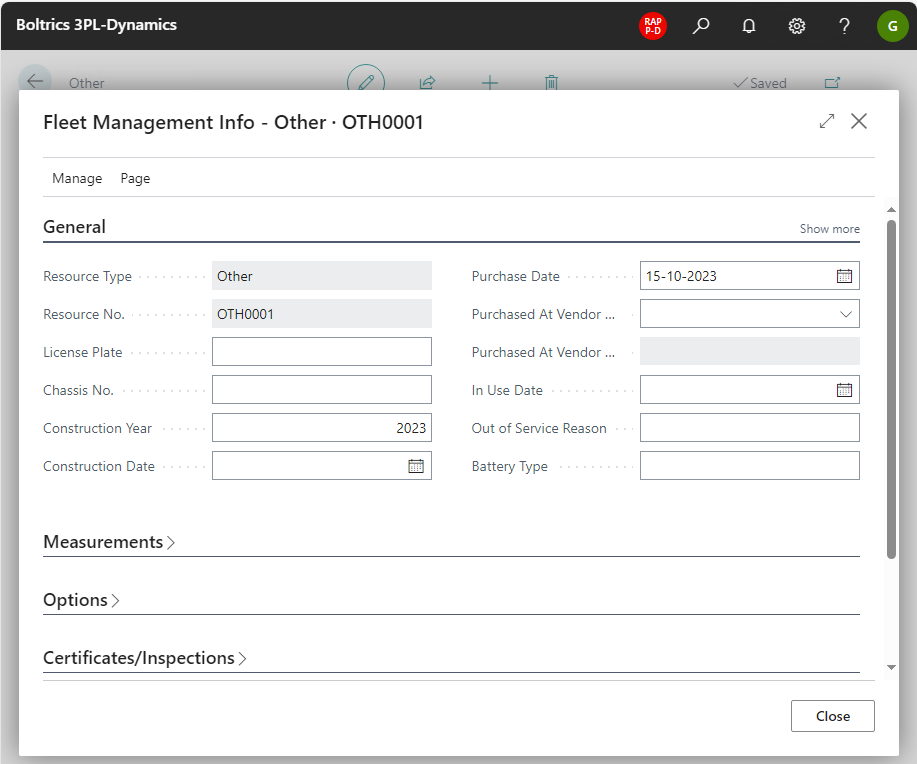
The Fleet management page consists of a number of tab sheets. Depending on the personalization settings, not all tabs are shown automatically to each user or role.
| Tabsheet | Description |
|---|---|
| General | Detailed information about the resource. |
| Measurements | The dimensions of the resource. |
| Options | Detailed information on the options on the resource. |
| Certificates/Inspections | Detailed information on the certificates en inspections of the resource. |
| Finances/Insurance | Detailed information on the lease contract en insurance of the resource. |
| Maintenance | Detailed information on maintenance contract on the resource. |
Maintenance planning
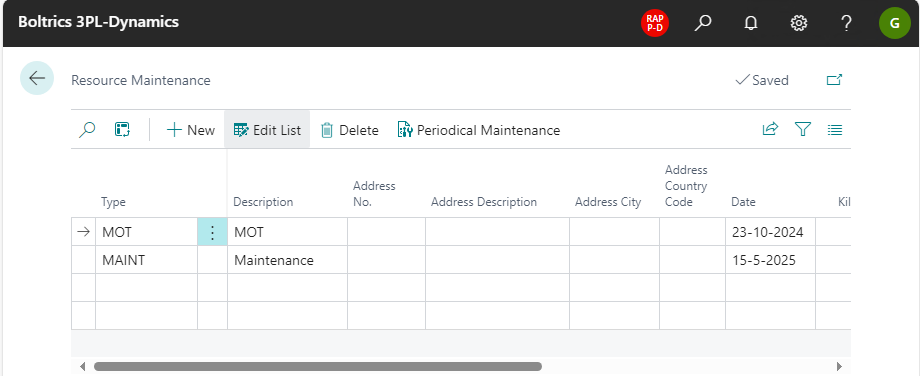
Maintenance can be registered on the resource. See Resource Maintenance.
Resource capacity
Not applicable on this type of resource
Restrictions
By setting up and defining restrictions on a resource, it can be defined whether specific conditions apply on a resource. TMS checks these restrictions when a trip is released, if the status template of the trip contains the function Check restrictions. The default trip status template does. For more information, see Restriction.
Registration
By defining lines registration codes like permits and certificates which are applicable on the resource, can be setup and when they expire.
