PTV Optimiser Integration
General
The PTV Optimiser integration can be divided into 2 parts
- Outbound: From based on the PTV Message Configuration 3PL orders/sections processed into outgoing messages to PTV.
- Inbound: Based on the Data Integration Message Configuration, trips are retrieved from PTV and imported into 3PL.
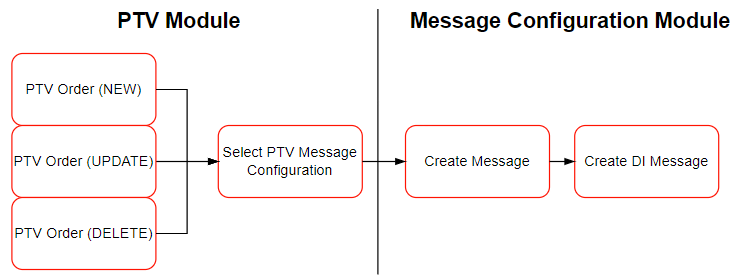
On the outbound the following structure is applicable:
Functionality
In The PTV Module the PTV-messages can be setup. The actual messages will be send to PTV using the Message Configuration Functionality.
Settings
To implement the PTV Route optimiser the following setup has to be completed.
Step 1. Activate APP: PTV Optimiser integration
- Open the page 3PL Market Place.
- Select the app: PTV Optimiser Integration
- Click on Activate to install the components.
Step 2. Check Message Setup
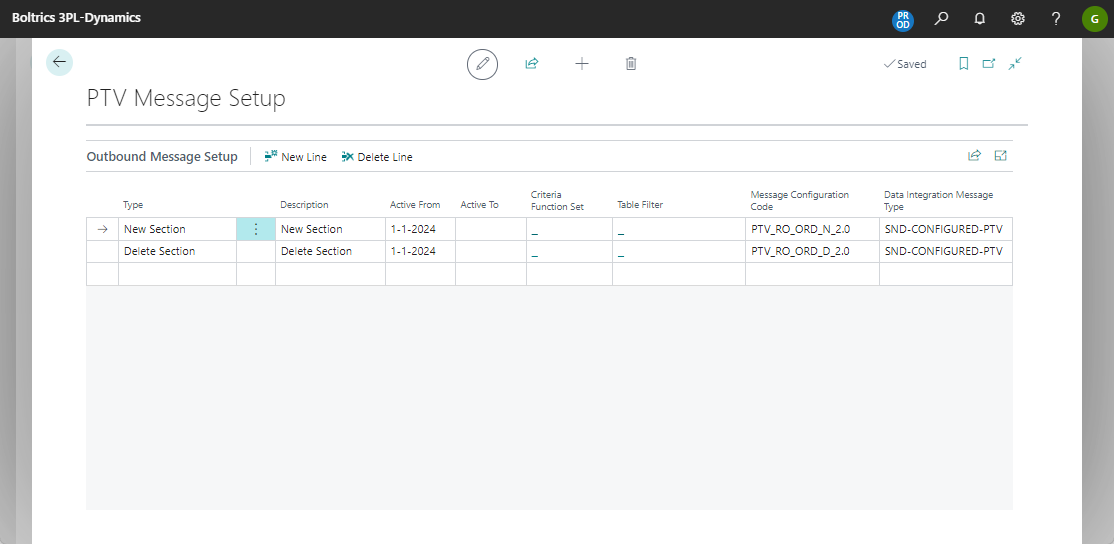
Each company has specific requirements for the PTV Optimiser integration therefore it will be necessary to review the rules in the Message Configuration Code and adjust them if required.
Step 3. Set transport-location on the DI Message: SND_CONFIGURED_PTV
- Open the Page: DI message Type
- Go to the record: SND_CONFIGURED_PTV
- Go to the Tab: Transport and enter values in the following fields: Transport Location, Username and Password
- Check if the status on the message type is: Enabled.
Step 4. Set Job Queue records for automatic transferring messages
For sending and retrieving messages to PTV the following entries have to be set in the JobQueue.
Open the Page: Job Queue
Click on the action: New
Enter the entry as shown below:
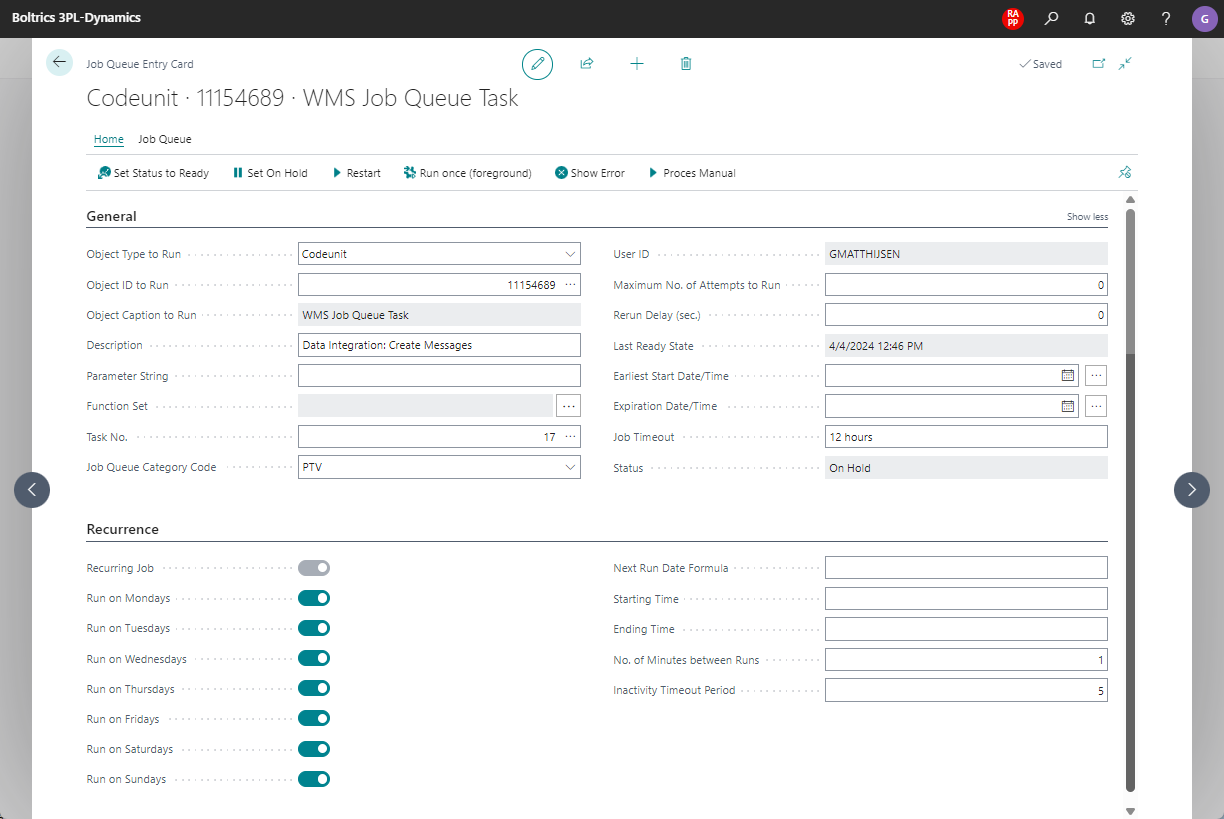
Open the Page: Job Queue
Click on the action: New
Enter the entry as shown below:
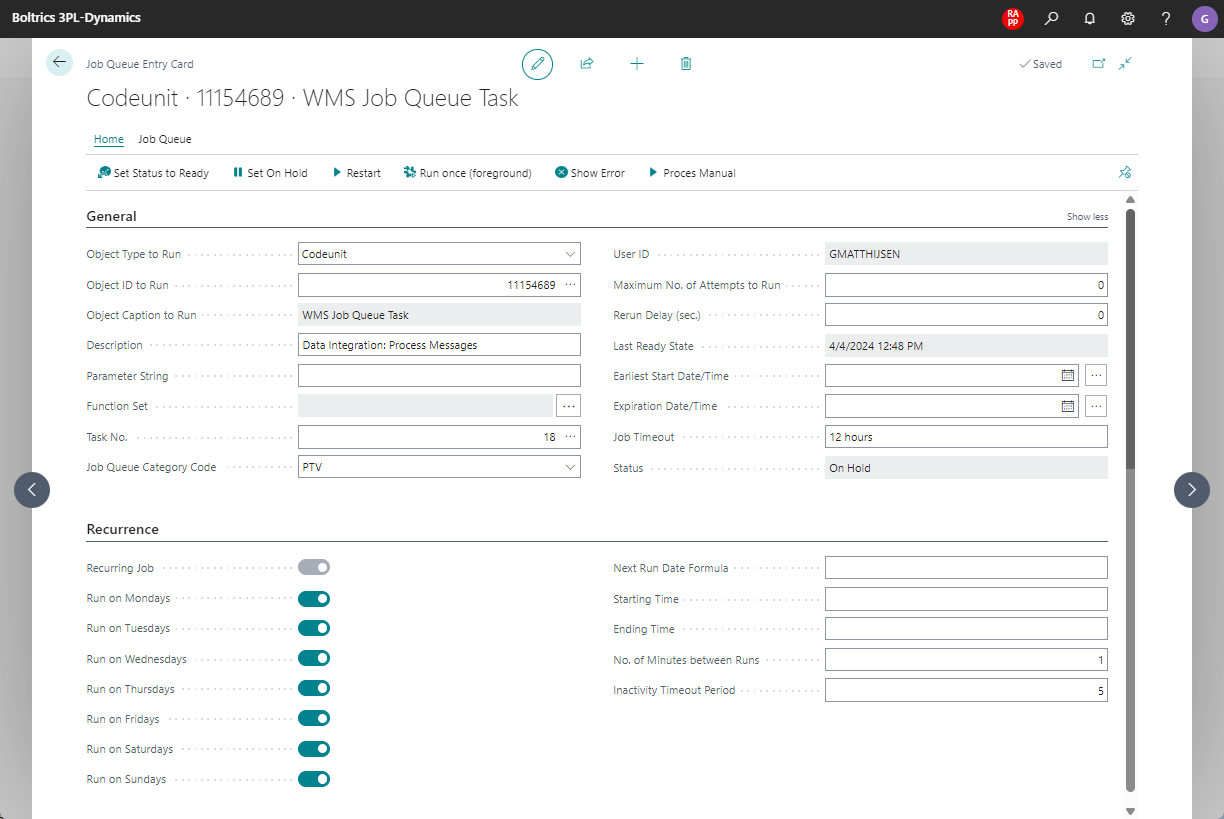
Open the Page: Job Queue
Click on the action: New
Enter the entry as shown below: