TAB: Invoice Details
General
The tab: Invoice Details on the Sales Invoice contains some additional fields related to the sales invoice.
Functionality
Fields
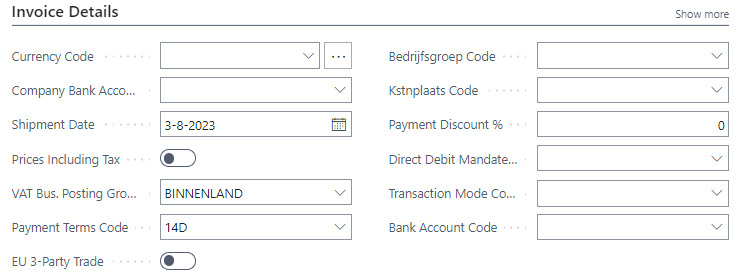
| Field | Description |
|---|---|
| Currency Code | The Currency Code applicable on the invoice. Automatically copied from the Customer. When blanc the local currency of the company applies. |
| Company Bank Account Code | The code of the Bank Account to be shown on the invoice. |
| Shipment Date | The date on which the invoice has been created. |
| Prices Including Tax | By setting this field to checked various fields on the Sale Invoice Lineswill change from Excluding to Including. |
| Vat Bus. Posting Group | The value of this field is copied from the Customer, TAB: Invoicing. |
| Payment Terms Code | The value of this field is copied from the Customer, TAB: Invoicing. |
| EU 3-Party Trade | - |
| Shortcut Dimension Code 1 | The value of the Global Dimension 1 as setup in the General Ledger Setup, Tab: Dimensions. |
| Shortcut Dimension Code 2 | The value of the Global Dimension 2 as setup in the General Ledger Setup, Tab: Dimensions. |
| Payment Discount % | The percentage of payment discount to be applied if the invoice is paid before the date as set in the Payment Discount Date. |
| Direct Debit Mandate ID | The ID of the mandate on which the customer has agreed to allow direct debit collection of payments. |
| Transaction Mode Code | The mode used in telebanking. |
| Bank Account Code | The Bank Account to be used when Direct Debit Mandate is applicable. |