Communication Logs
General
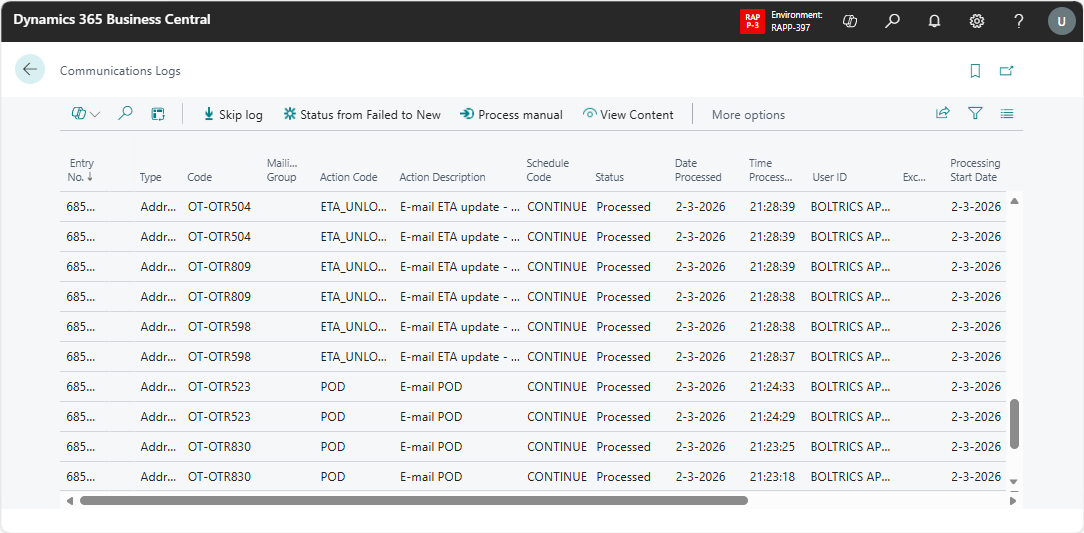
This page shows all log-entries created by the Communication Planning Lines as set on the page: Commmunication Actions. For example: ETA-mails or POD-mails.
Functionality
Actions
Skip Log: Changes the status of the selected log-entry to: Skipped.Status from Failed to New: Changes the status of the selected log-entry from: Failed log to: New.Process Manual: Will process the selected log-entry.View content: Obsolete.Exeption: Will show the exception if applicable on the selected line.Call-stack: Will show the call-stack if the selected line is in status: Failed.
Fields
Entry No.: The unique Number of the log-entry.Type: Options: Mailing Group, Salesperson, Customer, Vendor, Resource, Shipping Agent, Contact, Employee, Address, User, TMS Driver.Code: The record_id related to the field: Type.Mailing Group: The Mailing Group applicable on the log-entry.Action Code: The Communication Action applicable on the log-entry.Action Description: The description related to the field: Action Code.Schedule Code: The code of the Communication Schedule applicable on the log-entry.- 'Status`: Options: New, Processing, Processed, Failed and Skipped.
Date Processed: The date on which the log-entry was processed.Time Processed: The time on which the log-entry was processed.User Id: The user which has processed the log-entry.Exception: Will contain a cause if the processing of a log-entry has failed.Processing Start Date: The date on which the processing of a log-entry has started.Processing Start Time: The time on which the processing of the log-entry has started.Processing Duration: The duration of processing the log-entry.Modified Date/Time: The date/time on which the log-entry was last modified.No. Of Source Records: The number of records on which the log-entry is based.
Tip
By setting up a Job Queue with the task: Executes the Event Milestone Update Datetime Strategy on the Road Transport Events & Milestones Communication Log Entries can be processed automatically.