Communication Type Codes
General
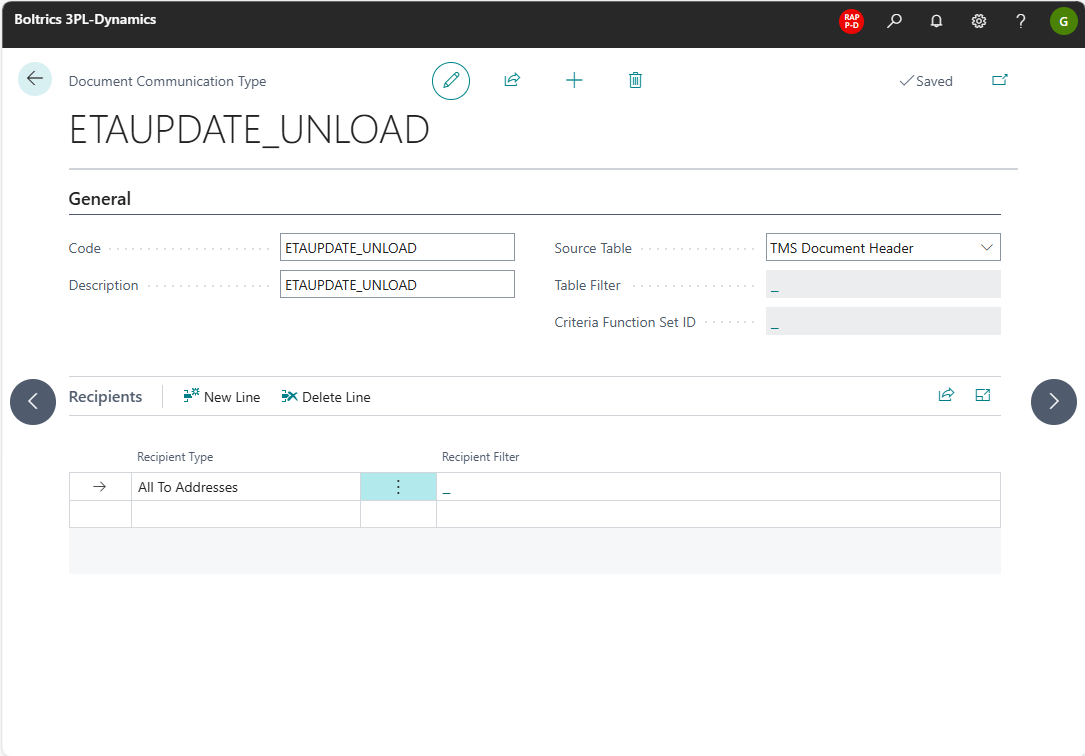
The settings on the page: Communication Type Codes will automatically determined which recipients have to be applied in the functionality: Event & Milestones
On the Communication Planning Line on page: Communication Action can be set what Communication Type Codes is applicable on the line.
Functionally
Actions
New Line: Create a new line below the selected line.Delete Line: Deletes the selected line.
Fields
Code: The unique code for the Communication Type Code.Description: The description for the Communication Type Code.Source Table: The table on which the Communication Type Code is applicable.Table Filter: The table filter on which the Communication Type Code is applicable.Criteria Function Set ID: The Criteria Function Filter on which the Communication Type Code is applicable.Recipients Type: Options: Sell to Customer, From Address, All From Addresses, To Address, All To Addresses, Document Party, Driver, All Drivers.Recipients Filter: -
Send communication to a driver
Select recipient type Driver or All Drivers to send the communication to the driver assigned to the document, without setting up a Document Party or Party Template for it.
Driver: Sends the communication to the driver on the document, but only if that driver has an active Communication Planning Line (source typeTMS Driver) for this Communication Type Code, with theCodefield set to that driver's number.All Drivers: Sends the communication to the driver on the document if an active Communication Planning Line (source typeTMS Driver) exists for this Communication Type Code with theCodefield left empty, so the line applies to every driver.
The driver on the document is determined from the Driver No. field on the document header. If the document has no driver, or the driver has no matching active planning line, no driver receives the communication and no error occurs.
The communication is sent to the driver's E-mail field on the Driver page. If that field is empty, the driver's contact e-mail address is used instead.
Note
Sending communication to a driver never creates or updates a Document Party. Existing communication for Document Party and Resource recipients is unaffected.