TMS Web Portal - Create Address
General
When creating new transport orders, users can add a new loading or unloading address by selecting +Create Address at the bottom of the address lookup.
Functionality
The following wizard helps users create a new address.
Step 1. Address Details
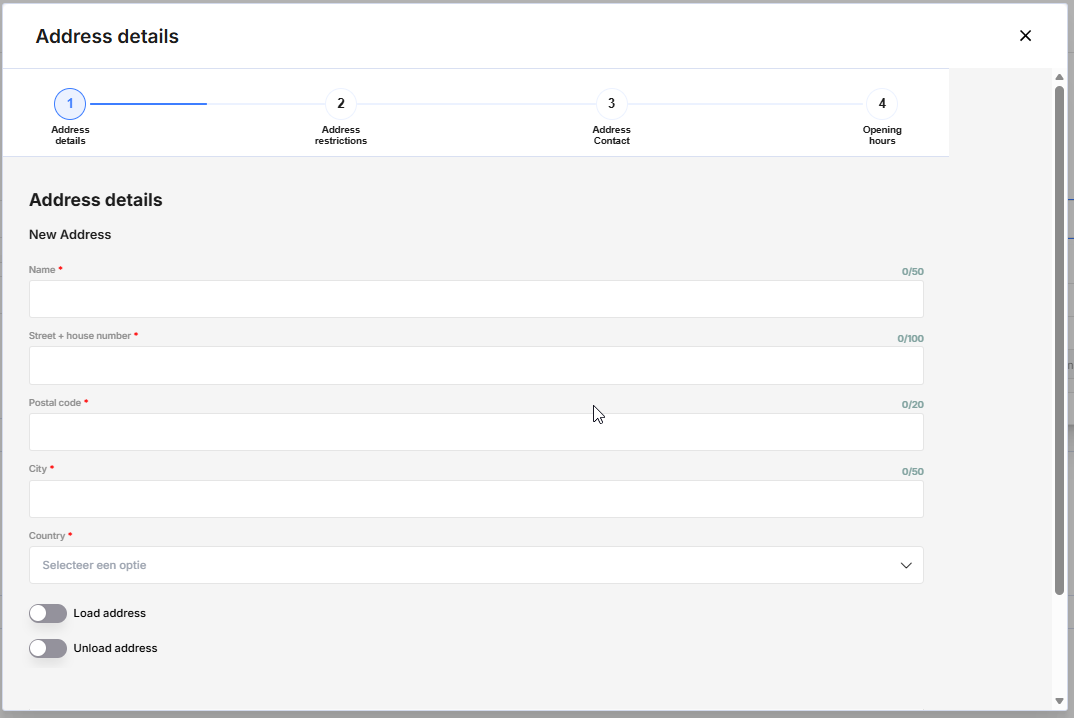
Fields
Name: The name of the address.Street & house number: The street and house number.Postal Code: The postal code.City: The city.Country: Select the country code from the lookup list.Load address: Set to true if the address should be shown in the lookup for the From address.Unload address: Set to true if the address should be shown in the lookup for the To address.
Click on Next step: Address Restriction to continue.
Step 2. Address Restrictions
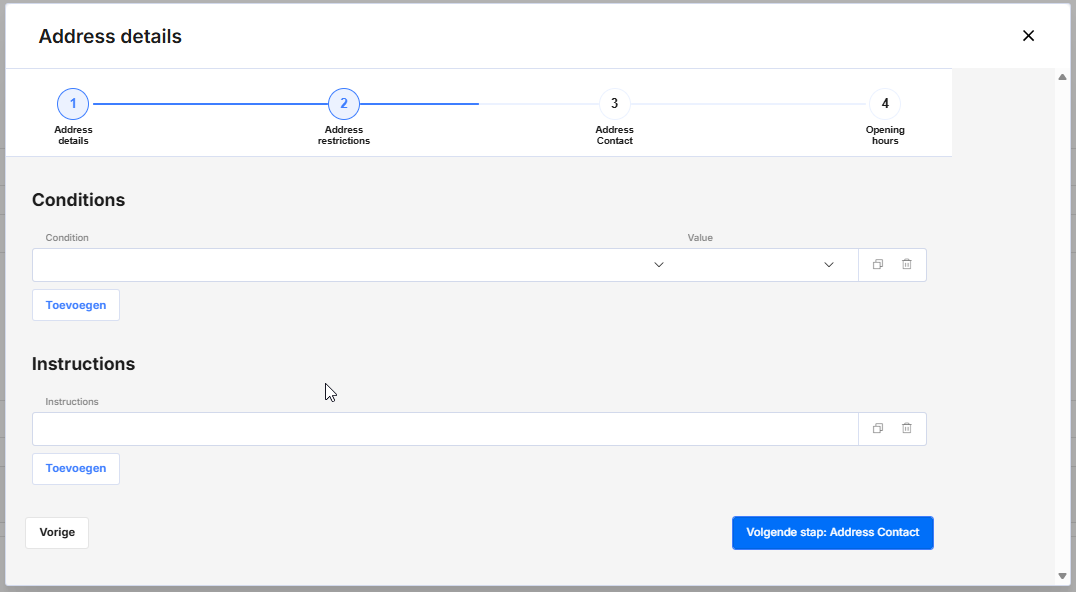
Fields
Condition: Select a condition, if applicable. Select the Add button to apply multiple conditions.Value: Select either Yes or No.Instruction: Enter an instruction text, for example, "Safety shoes required." Select the Add button to add multiple instruction lines.
Select Next-step: Address Contact to continue.
Step 3. Address Contact
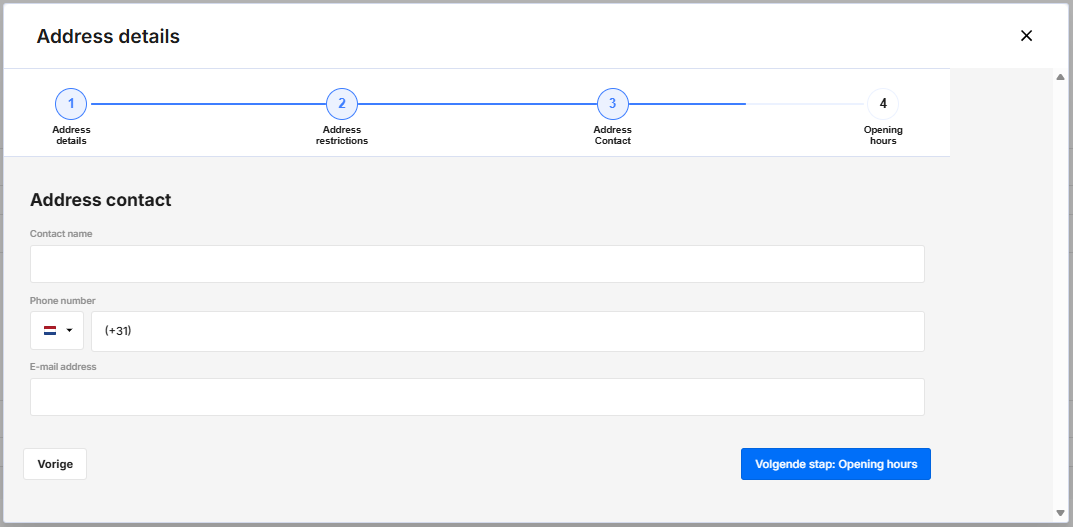
Fields
Contact Name: Enter the name of the default contact at the address.Flag: Select the lookup to choose the required flag/ country and apply the country prefix to the phone number.Phone number: Enter the phone number of the contact.E-mail address: Enter the e-mail address of the contact.
Select Next-step: Opening Hours to continue.
Step 4. Opening hours
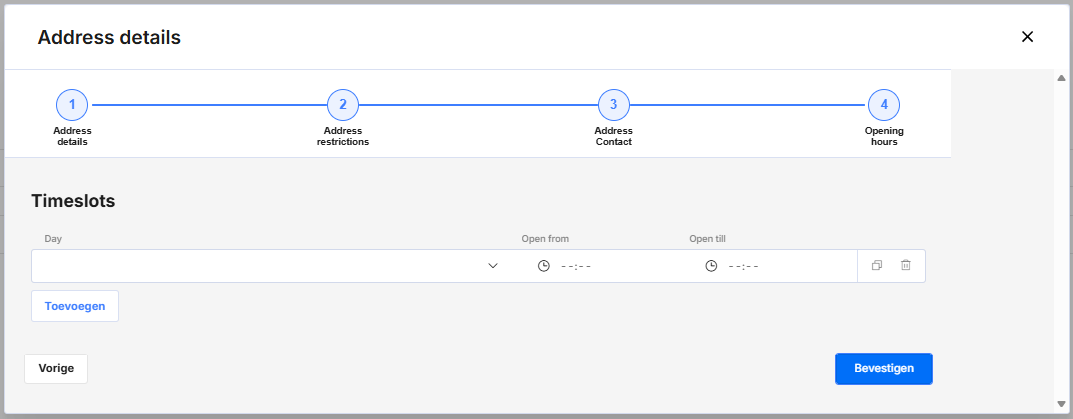
Enter a line for each day that the address is open.
Fields
Use the Add- or Copy buttons to create additional lines. Select Next-step: Confirmation to finish the wizard.
Note
- When an address is completed, the address will be added to 3PL Dynamics and the status of the address will change to: 20-RELEASED. This will result in the geocoding of the address. If the address details entered in the web portal are of low quality, the geo-score will be below a value. This will result in the address being shown on the tile: Address Geo Score on the rolecentre of the profile: TMS-General. Users will have to check and correct these addresses.
- A Customer/Vendor Address link will be applied on the address to trace the address to the customer who created it.