Parties in TMS
General
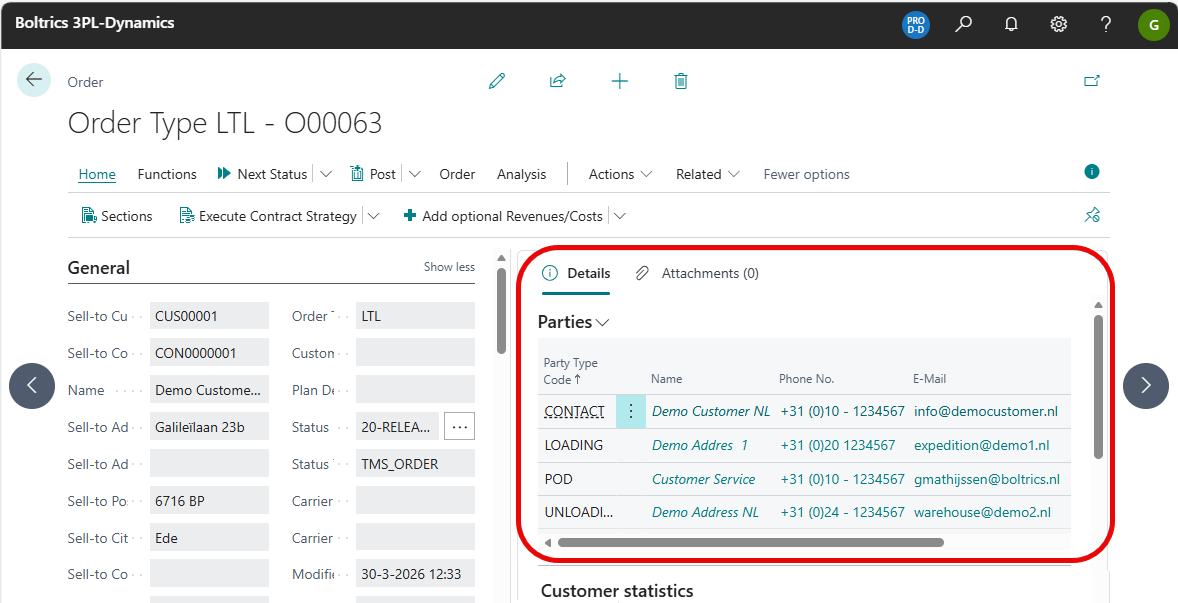
The Party-functionality is used in all modules of 3PL Dynamics. On the page: Party the general functionality is described. On this page specific information is presented on the TMS Parties. When Orders are released, Parties can be added automatically in the Fact-Box: Parties. The lines in the Fact-box presents important information like names, phone-numbers and e-mail addresses on Customer, (Un)Loading Address and POD. This information is easily accessible and can be used to contact one of the parties by telephone or as an e-mail address when creating an E-mail with the step: Create E-mail Advanced.
Note
- The Fact-box: Parties is hidden by default. Use Personalization to show the fact-box.
- The Market Place Item: TMS Basic Setup contains the basic settings on TMS Parties.
Functionality
Order Fact Box: Parties
On the page: Order or Order List the fact-box: Parties can contain party information if the functionset has been applied in the Status-template of the Order.
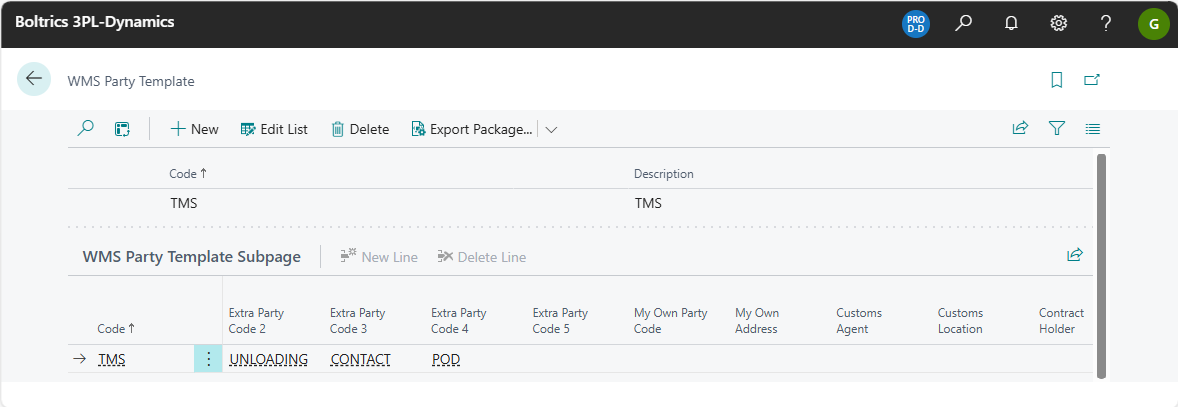
WMS Party Template
Actions
New: Adds a new record above the current selected record.Edit list.: Changes to Edit mode.Delete: Deletes the currently selected record.Export Package: Opens the menu: PackagesExport Package: Creates a JSON-file containing the selected records.Import Package: Opens a window to import a JSON-file containing with new records.
New Line: Adds a new line on the Tab: WMS Party Template Subpage above the current selected subrecord.Delete Line: Deletes the currently selected subrecord.
Fields
Code: The unique code for the template. Value: TMS.Description: Fixed value: TMSCode: Fixed value: TMSLine No: Fixed value: 1.000Extra Party Code 1: The first line to be shown in te factbox. Value: LOADING. See TMS PARTIES.Extra Party Code 2: The first line to be shown in te factbox. Value: UNLOADING. See TMS PARTIES.Extra Party Code 3: The first line to be shown in te factbox. Value: CONTACT. See TMS PARTIES.Extra Party Code 4: The first line to be shown in te factbox. Value: POD. See TMS PARTIES.
TMS Parties
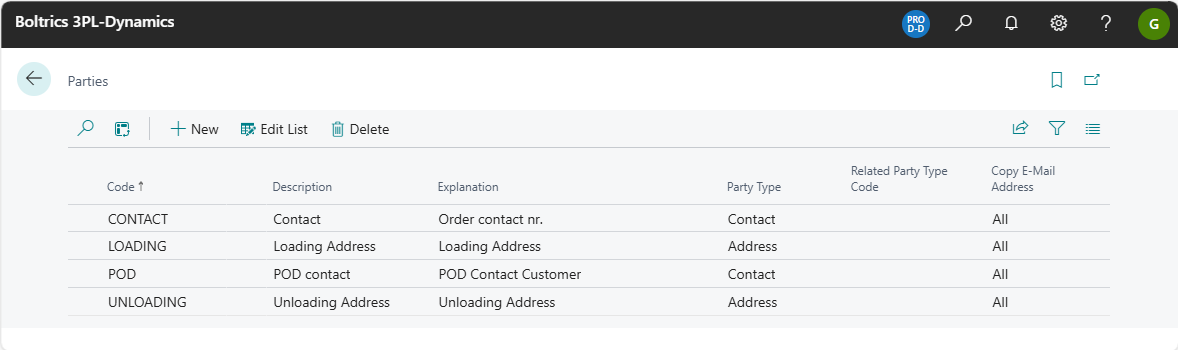
On this page lines have to be created for the required parties.
Actions
New: Adds a new record above the current selected record.Edit list.: Changes to Edit mode.Delete: Deletes the currently selected record.
Fields
Code: The unique code of the Party.Description: The description of the Party.Explanation: The Explanation of the Party.Party Type: Options: Customer,Address, Shipping Agent, Contact, Customer Invoice, Sales Person, Vendor or Resource.Related Party Type Code: -Copy E-mail Addresses: All(when an e-mail is created all e-mailaddresses from all parties will be applied),Main Party, Contact Party, Contact else Main Party.
Settings
E-mail Templates Parties Party Templates Set Default Party Value function Update Party Contacts function