PTV Setup
General
This page contains the setup for PTV functionality.
Note
- A PTV User & Sustainability Management Licence before activating the PTV Setup.
- The PTVRouteOptimizerIntegration has been replaced by new functionality: PTV Developer and will become obsolete in the near future.
Functionality
Tip
If the action: Initialize PTV Developer is greyed out, the registration of the PTV License has not been completed. The customer must contact Boltrics Sales or Finance for the license. For more information on how to set up a license, see Support Procedure.
Actions
Initialize PTV Developer: Automatically creates a default setup for PTV Developer functionality. Only available when the registration of the PTV License has been completed by Boltrics.View Request Log.: To consult the log of the API calls to PTV Developer.Setup Vehicle Profiles: A menu containing Vehicle Profiles related functionality.Maintain Vehicle ProfilesTo manage settings on the Vehicle Profiles as supplied by PTV Developer.Maintain Vehicle Profiles Conditions: To manage settings on the Vehicle Profile Conditions.
Setup Toll Parameters: A menu containing Toll related functionality.Maintain Toll Road Types:Maintain Electronic Subscriptions:
Setup Emission: To setup the Emission Assignement Method to be applied, see page: Transport Emission Setup.
Fields
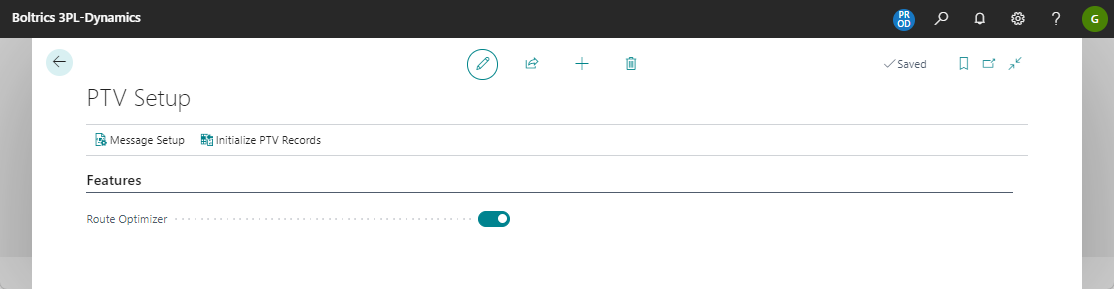
Tab: Features: The fields displayed on the tab: FeaturesRoute Optimizer: Activate if the functionality of Route Optimizer Integration is applicable.
Tab: PTV Developer: The fields displayed on the tab: FeaturesEndpoint Initialized: Will be set to: active when the action: Initialize PTV Developer has been executed.Default vehicle Profile: Select a profile so a route can be calculated for Trips without a Truck added yet.Default Calculation Method: Will be set to: System Default. For more info see: Calculation Method.
Manual Settings
The following settings have to be set/changed manually per 3PL Dynamics Configuration for the functionality PTV Developer.
| Setting | Description |
|---|---|
| PTV Setup | In the field: PTV Vehicel Profile a default value can be set to be applied when no PTV Vehicel Profile is set on the Truck or Resource Group of the Truck. |
| Resource Groups | Per Resource Group a PTV Vehicle Profile can be set to specify the specific characteristics of the group. In stead of setting PTV Vehicle Profiles on Resource Group Level the PTV Vehicel Profile can be set per Truck |
| Truck - ETV Subscriptions | To register what subscriptions have been purchased for the Truck |
| Truck - Country Access | To register if the Truck has no access to specific countries. |
| Status Template | On the Status Template of the Trip in the status: 20-RELEASED: the functionset: Emission Calculate has to be added to a line. |
| Step | If manual calculation of Emission is required a step: Emission using the functionset Emission Calculate can be added to the Status Template of the Trip on the status: 10-NEW. |
| Transport Emission Setup | On the Transport Emission Setup a TMS Trip Emission Assignment Function must be added. Apply one of the Functionsets in functionset Emission Method. |